
The customer may know the job before the product
An industrial product search can begin with a part number. It can also begin with a machine, a material and a problem someone wants to solve. A customer might know which saw they use and what they are cutting, yet still need help understanding the options.
BladeAIQ explores that second starting point. It is an interactive demonstration of a guided bandsaw blade product finder: describe the cutting job, review the information the interface detected, then explore a sample result and its trade-offs. The purpose is to make a product-selection journey visible, rather than hide it behind a search box.
For a supplier, the design question is useful well beyond blades: what does a customer already know, what needs clarification, and how can the website help them reach an informed next conversation?
Describe the job, then check the details
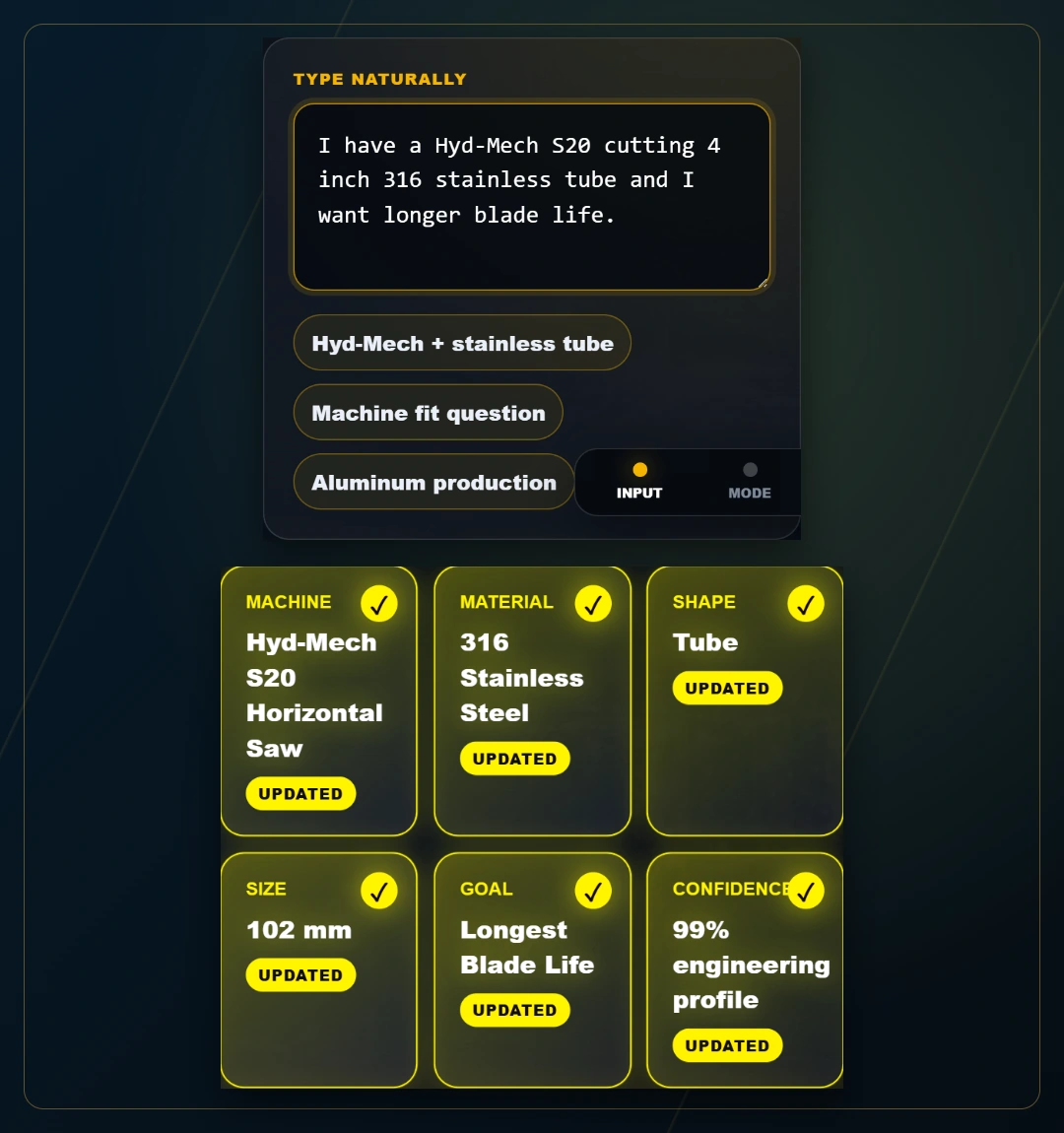
Open the showcase and choose Launch BladeAIQ. The natural-language route lets you describe a cutting job in an ordinary sentence. Try the prepared example about a Hyd-Mech S20 cutting four-inch 316 stainless tube with longer blade life as the goal.
The interface separates the example into a machine, material, shape, size and goal. This review step matters. A polished interface should make its interpretation easy to inspect; a detected value should never become an invisible assumption. Correct or clarify the description before continuing.
There are two other ways to explore. Guided Mode uses selection cards and setup questions. Run Fast Demo loads a prepared example so you can reach the result without entering a job first. The Starweb AIQ Advisor can explain the current step when you ask; the small guidance bubble does not submit a question automatically.
- Start with the machine and material you know.
- Include the shape, size and what you want to improve.
- Review the detected details before choosing Analyze Now.
A result should give you something to inspect
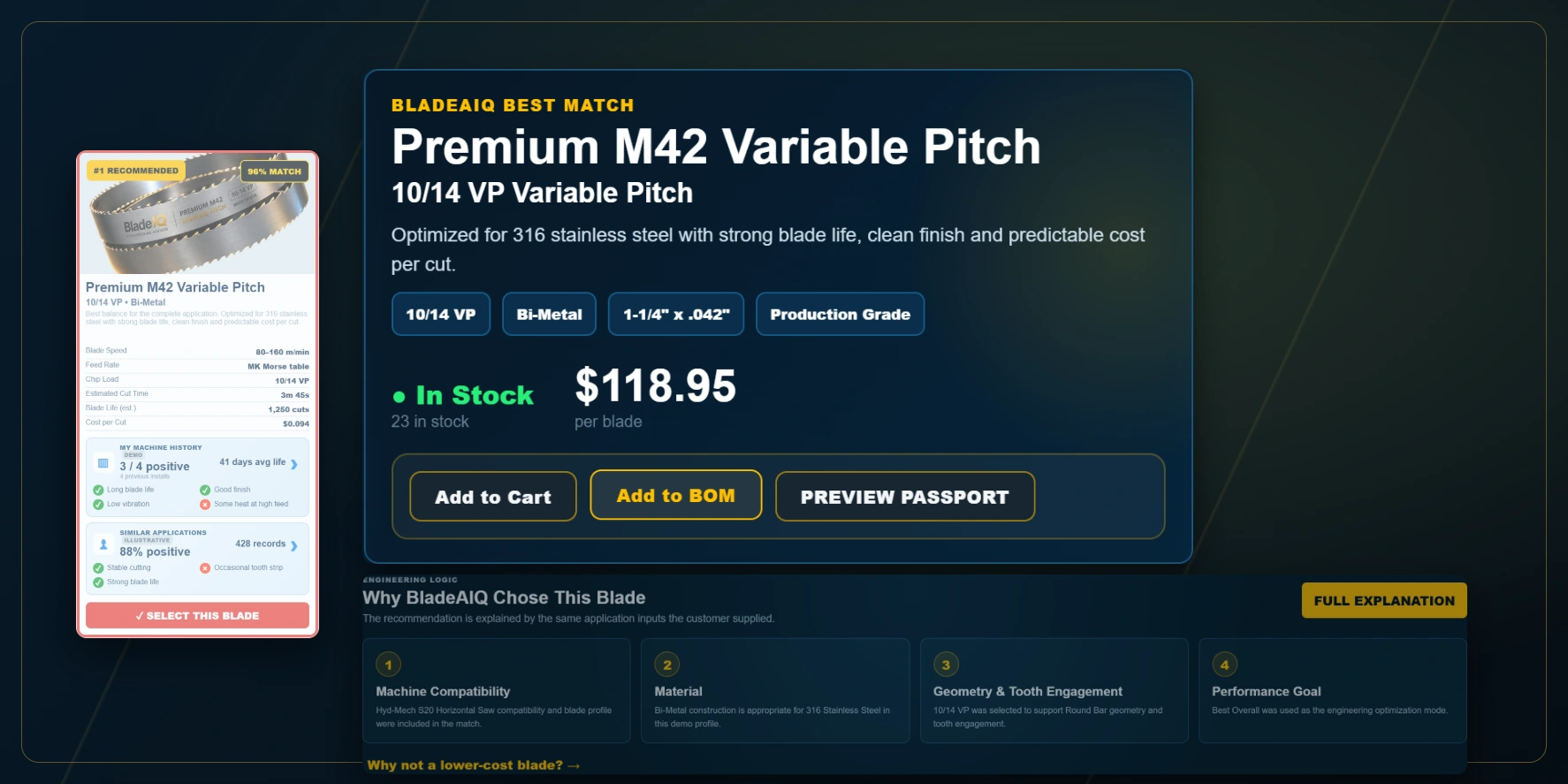
The result screen brings a sample blade, application details and a setup presentation together. The Why This Blade? tab makes the example reasoning available alongside the selection. Other tabs expose comparisons, the machine-passport concept and a downloadable demonstration report.
This is a product-experience showcase. Its prices, stock, match percentages, performance forecasts and machine-history records are sample data. They are not measured accuracy claims or validated instructions for operating a real saw. A production tool needs approved manufacturer data, verified product compatibility and the appropriate review process.
That boundary does not diminish the experience we are testing. It gives us a clear question: can a customer understand the journey, inspect the information and find the next useful action?

Compare the trade-offs, not just the product names
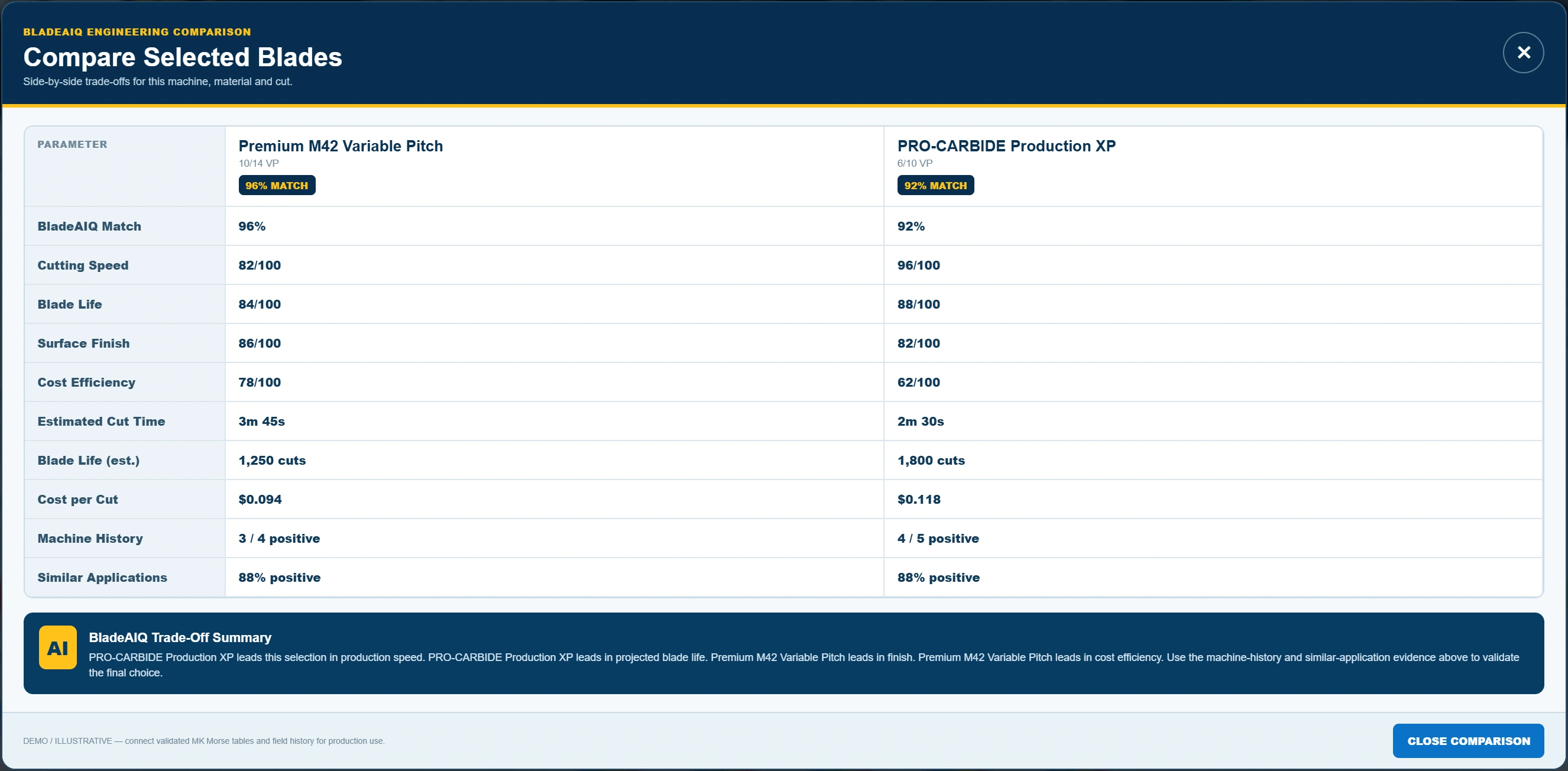
A customer asking for longer blade life may be making a different decision from one focused on production speed, finish or purchase cost. The Other Options screen illustrates how those priorities can be presented together.
Select two or three blades and open Compare Selected. The comparison panel places the example performance measures side by side. You can inspect how the interface explains a trade-off without treating the sample numbers as purchasing advice.
For an industrial supplier considering a custom finder, this is the part to discuss with the team: which comparisons help customers make sense of the range, where do the figures come from, and when should the tool hand the decision to a specialist?
The longer-term idea: connect the selection to the machine
The Machine & QR section presents a future machine-passport workflow. In a connected implementation, a physical QR label could open the correct machine record, installed product and relevant history, with account permissions controlling access to private information.
Those connections are future work for this Starweb showcase. The current passport is a visual preview; it does not issue a scannable machine QR or connect customer accounts, service records or real order history. Add to Cart and Add to BOM update temporary demo counters only.
The useful direction is continuity: the information gathered during selection could remain useful after a product reaches the shop floor. Building that requires deliberate ownership of machine records, product data, account access and the failure path when a connection is unavailable.
Try the experience, then bring us your product journey
Use Run Fast Demo for a quick look at the results, or Launch BladeAIQ to try a cutting description. Inspect Why This Blade?, compare two alternatives and ask the Starweb AIQ Advisor what to explore next.
If you supply a technical product range, consider the decisions customers ask your team to explain repeatedly. Those conversations are a useful place to begin planning a product finder. The first task is understanding the journey and its evidence, then deciding what belongs in the interface and what needs a human handoff.
Explore the demo
Try the experience shown in this article. The showcase uses illustrative data.
Start with one useful job
What should your website help someone do?
Bring us the task. We’ll talk through the workflow.
Talk to Starweb Explore custom development