
Live part lookup
Search part numbers and return description, image, pricing and availability before the line is added.
A persistent ordering workspace that connects product lookup, live pricing, inventory, CSV import, multiple purchase orders, BOMs, OEM cross references, minimum quantities, product pages, technical PDFs, AI advisors and ERP workflows.
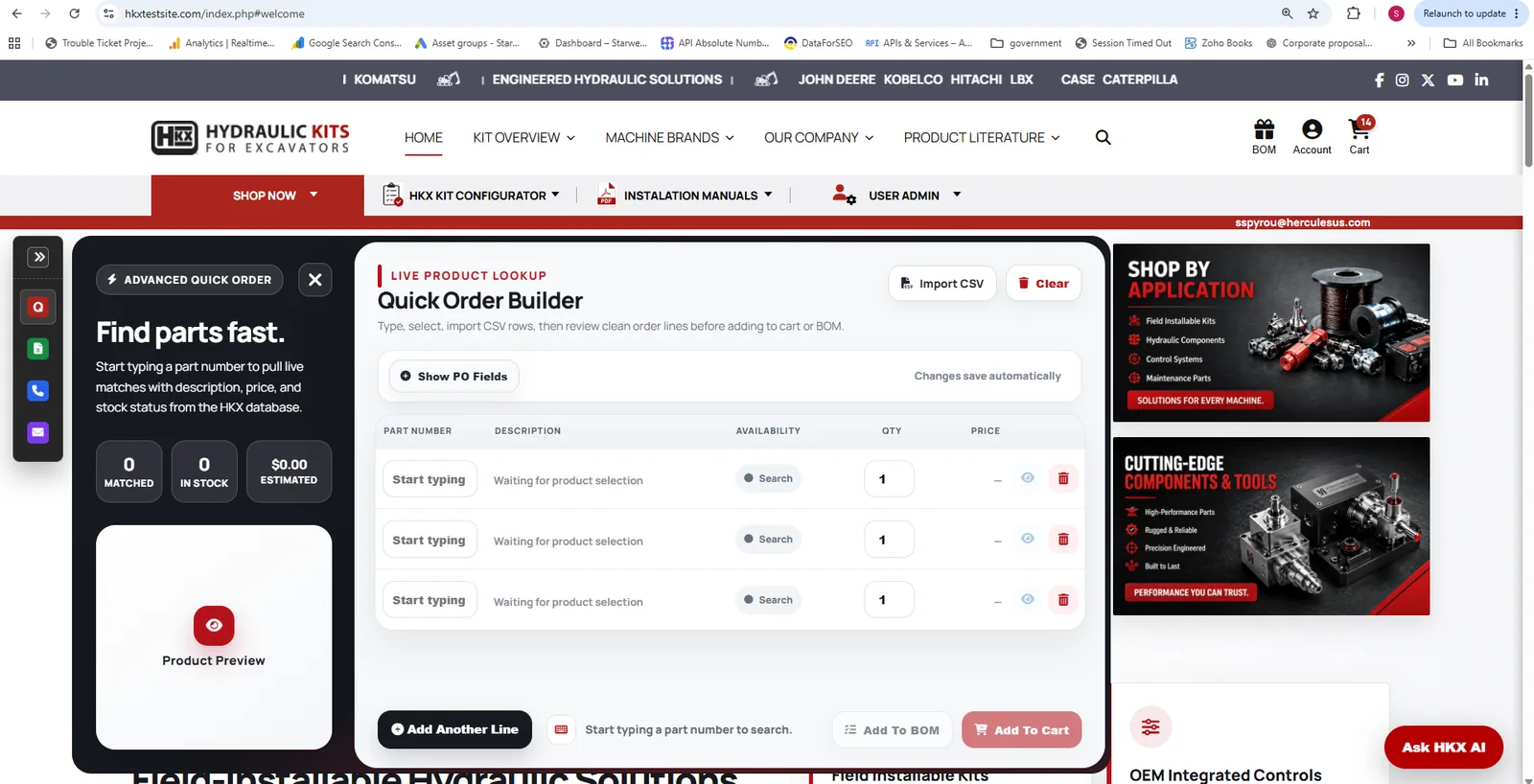
A traditional quick order form is usually a temporary list of part numbers. Advanced QuickOrder stays with the customer while they search products, review technical information, change pages, log in, import files and build the final order.
The objective is simple: remove the repetitive steps industrial buyers normally have to perform manually while preserving the pricing, inventory and product rules the business already uses.
Each capability removes a separate point of friction from the buying process while feeding the same controlled order workspace.
Search part numbers and return description, image, pricing and availability before the line is added.
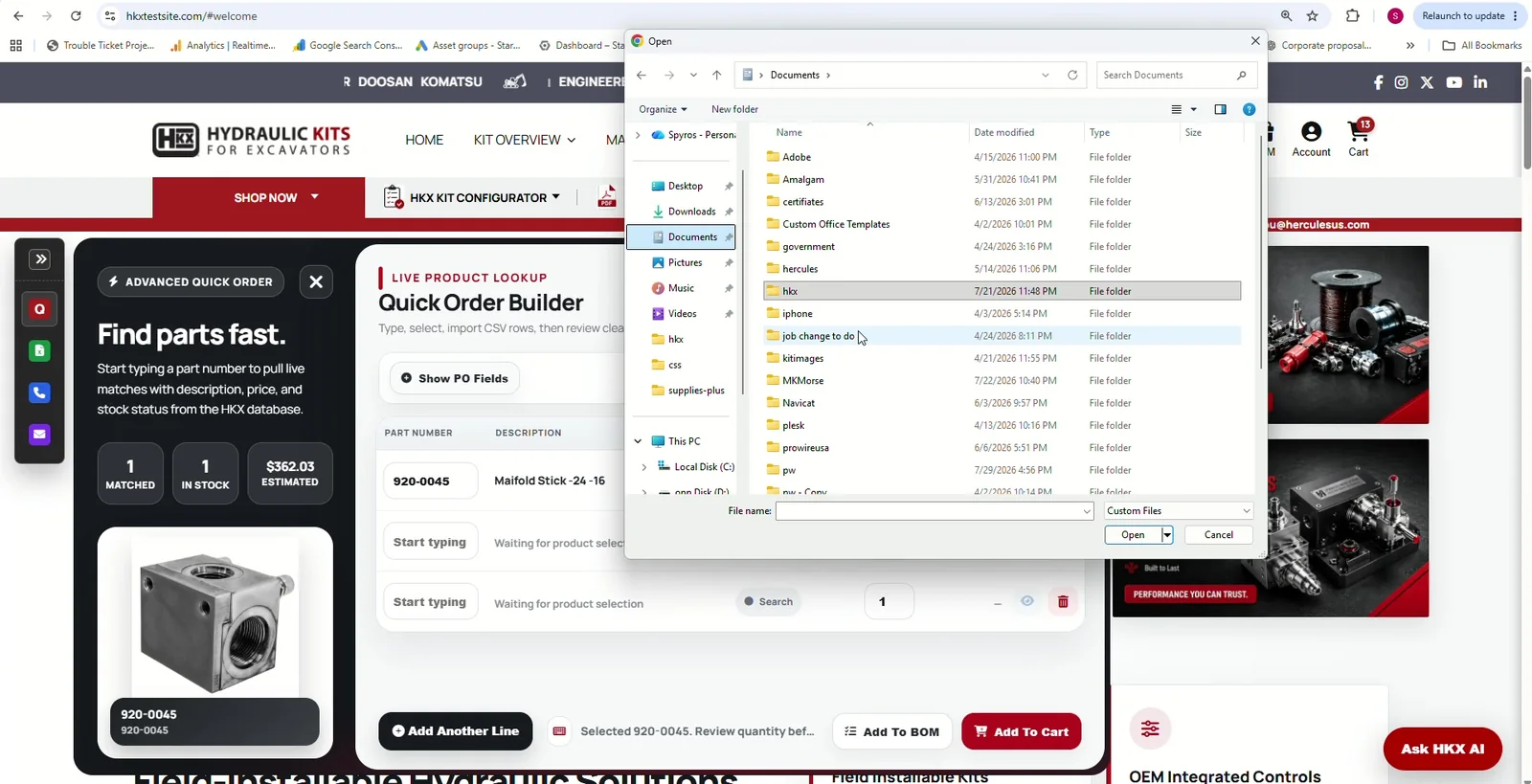
Populate large industrial orders from spreadsheets instead of forcing buyers to enter every line manually.
Assign different PO numbers to different order lines while keeping one coordinated ordering session.
Convert selected groups of order lines into reusable Bills of Materials organized around projects, machines or purchase orders.
Use customer account rules and discounts so the price shown reflects who is actually buying.
Check stock and availability before the customer reaches checkout.
Validate minimum order quantities and product multiples during order entry instead of failing later.
Accept an OEM or alternate number, find the matching company part and convert the order to the correct selling SKU.
When a kit is incomplete, identify the missing components so experienced customers can make an informed purchase decision.
Add a product from its detail page and let QuickOrder slide in, accept the item and get out of the customer’s way.
Send parts from technical manuals and interactive product documents directly into the same order workspace.
Let the advisor find the right product or source document and pass the selected item directly into QuickOrder.
This is one of the most important differences in the system: browsing does not destroy the buyer’s work.
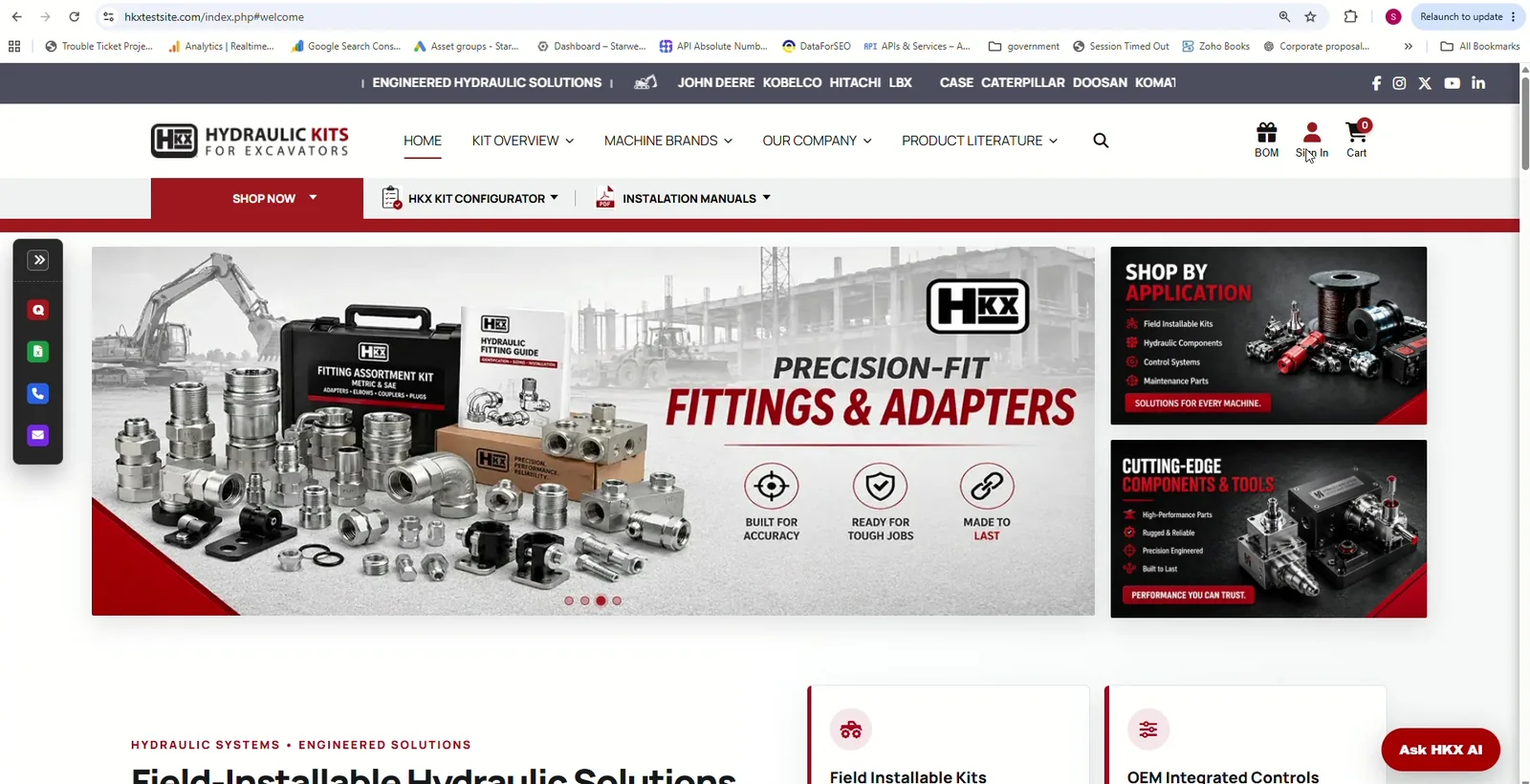
A buyer can begin a QuickOrder before logging in. When the account is identified, the system can combine the guest selections with the customer’s active order rather than forcing them to choose one cart or start over.
Once the customer account is known, QuickOrder can re-evaluate pricing against account discounts, contract rules or ERP pricing while preserving every selected line and quantity.
Industrial buyers often arrive with an OEM number from Caterpillar, Komatsu, John Deere or another source. They should not have to know your internal SKU before they can buy.
QuickOrder can search an OEM or cross-reference number, find the matching company product, then convert the selected line to the internal selling number used for pricing, availability and checkout.
Minimum quantity rule applied.
The order line has been adjusted to the valid minimum.
Some industrial products must be purchased in minimum quantities or multiples. QuickOrder can apply those rules immediately so the customer sees a valid order before reaching checkout.
When a kit cannot ship complete, the system can expose the shortage instead of hiding the reason behind a generic availability message.
A maintenance customer may already stock the missing pieces and can still choose the kit.
Large B2B orders do not fit consumer ecommerce patterns. Buyers may arrive with spreadsheets, several purchase orders and different machine or project BOMs.
The customer should not have to abandon the product page just to maintain an order.
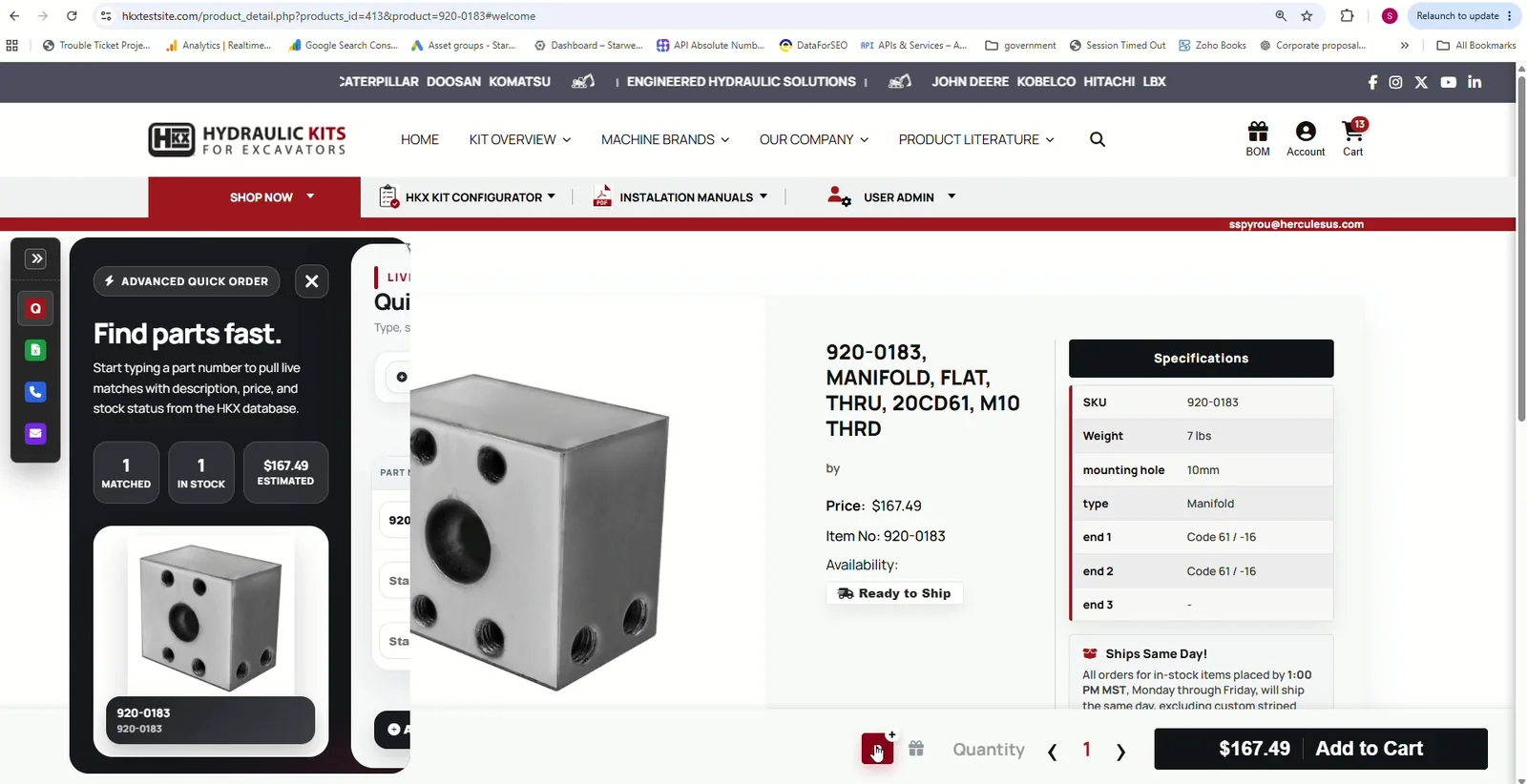
Click Add to QuickOrderThe product detail page remains the customer’s context.
QuickOrder slides inThe selected part is inserted automatically.
Panel gets out of the wayThe customer can continue browsing immediately.
Review and add to cart laterEverything collected across the visit is ready in one place.
Product discovery can happen anywhere. The order should still land in one controlled workspace.
The platform is designed around repeat buyers, account rules, industrial part data, complex kits and real purchasing workflows.
This section is ready for the polished YouTube demonstration. The strongest video will show the complete sequence: add a part, browse, log in, merge the order, refresh pricing, cross-reference an OEM number, import CSV, split POs, save BOMs and add the final order to cart.
Request a private demoThese questions reinforce the actual workflows demonstrated in the platform and provide useful long-tail content for search.
A B2B ordering platform gives business customers a faster way to find products, build large orders, apply account rules, see pricing and availability, save repeat-order structures and send validated orders into business systems such as an ERP.
Advanced QuickOrder is designed as a persistent ordering workspace. It can retain order lines while customers browse, import CSV files, manage multiple purchase orders and BOMs, apply customer pricing, enforce minimum quantities, search cross references and connect ordering to product pages, technical documents and ERP data.
Yes. A guest can begin building an order before login. When the customer signs in, the guest selections can be merged with the account order instead of forcing the customer to start again.
It can. Once the account is identified, pricing can be recalculated using the customer's account rules, contract pricing or discounts so the active order reflects the correct customer price.
Yes. A cross-reference lookup can accept an OEM or alternate part number, find the matching company product and convert the selection to the internal selling part number used for pricing, inventory and ordering.
Yes. Product rules can require a minimum quantity or order multiple so customers receive valid quantities before checkout instead of discovering the restriction later.
Yes. CSV order import can populate multiple lines quickly and then validate part numbers, quantities, availability, pricing, purchase orders and other business rules.
Yes. Lines can be assigned to different purchase order numbers while remaining in one ordering workflow.
Yes. Order lines can be grouped and saved into multiple bills of materials so customers can reuse project, machine or purchase-order-specific parts later.
Instead of stopping at a generic out-of-stock message, an advanced workflow can identify unavailable kit components and give the customer enough information to decide whether they can proceed, for example when they already stock the missing component.
Yes. A product-page action can open the QuickOrder panel, add the product automatically and return the customer to browsing without forcing them through a separate ordering page.
Yes. Product selections can flow into QuickOrder from technical PDFs, product pages and AI-assisted product workflows, creating a common ordering destination across the site.
We can map your current ordering process, ERP rules, customer pricing, part relationships, purchasing requirements and repeat-order workflows into a custom B2B ordering platform.