01
Start with the repair conversation.
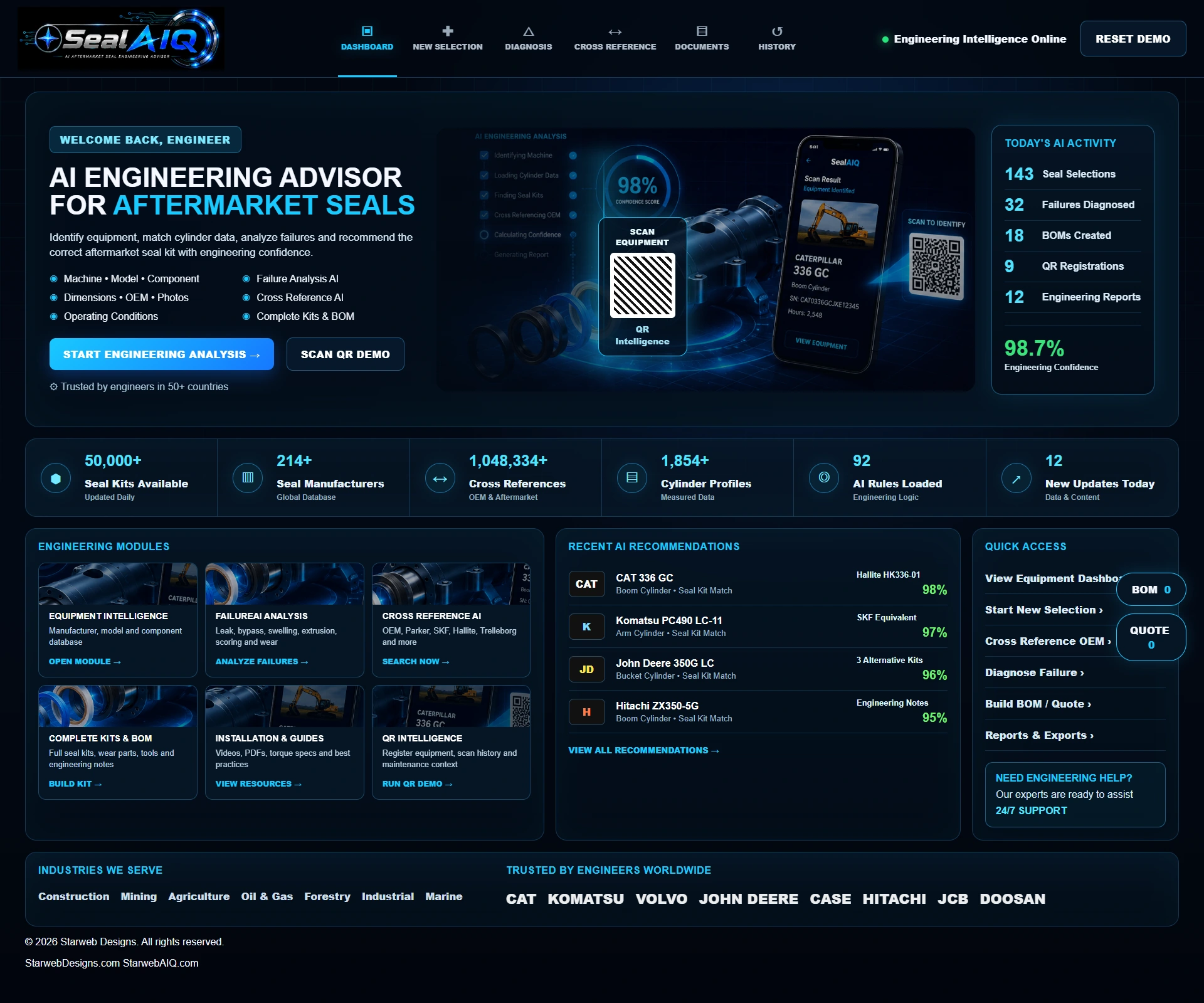
The live demo brings equipment, seal information, operating conditions and kit selection into one starting dashboard. Explore its modules before beginning a sample selection.
Give customers a place to start—with the equipment, seal information and working conditions in view.
Follow the actual SealAIQ demonstration: choose equipment, locate the component, add the information you have, and explore the sample aftermarket seal-kit result.
The live demo brings equipment, seal information, operating conditions and kit selection into one starting dashboard. Explore its modules before beginning a sample selection.
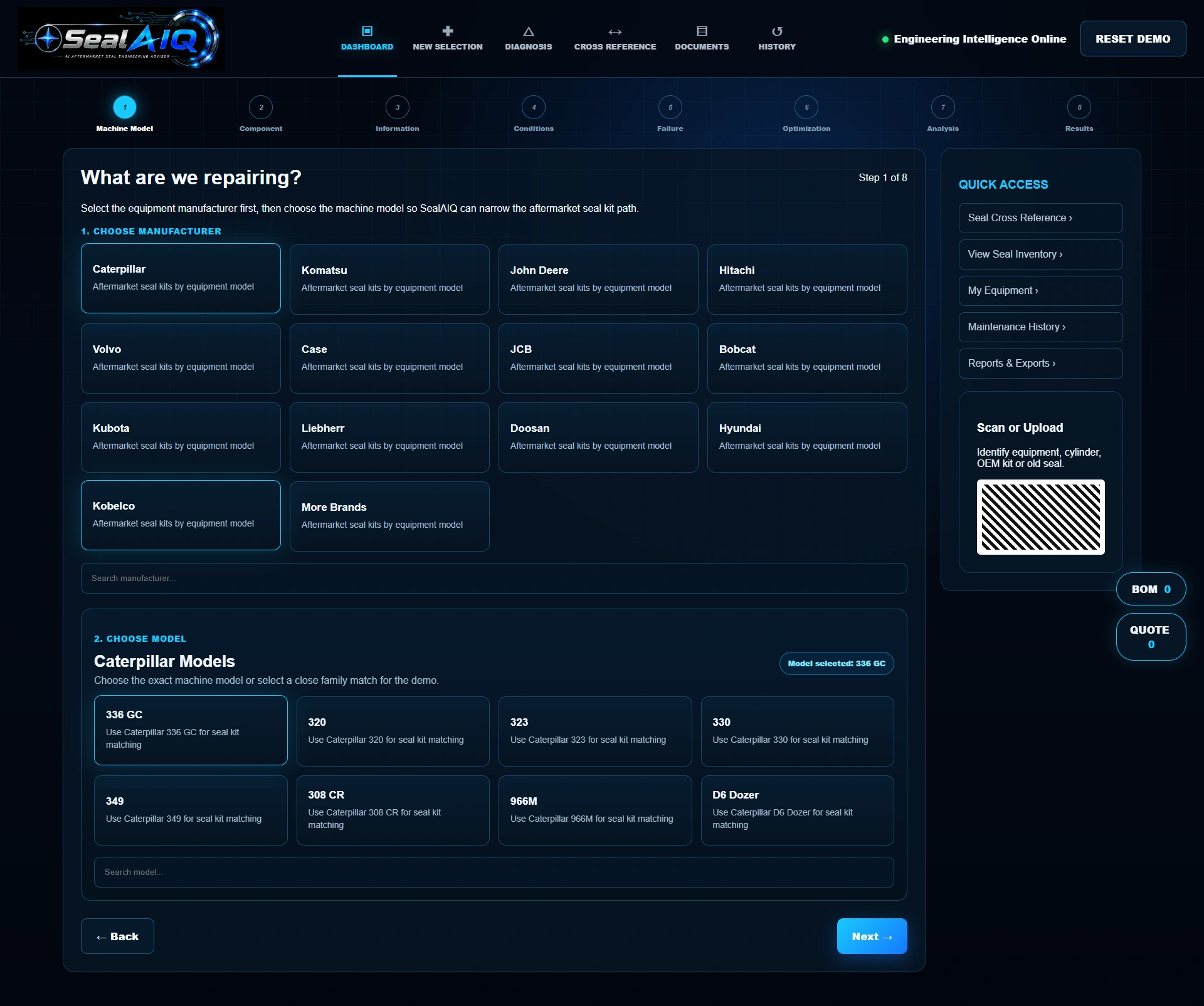
Select a manufacturer, then choose a model. This capture shows Caterpillar and the sample 336 GC model selected in the actual equipment picker.
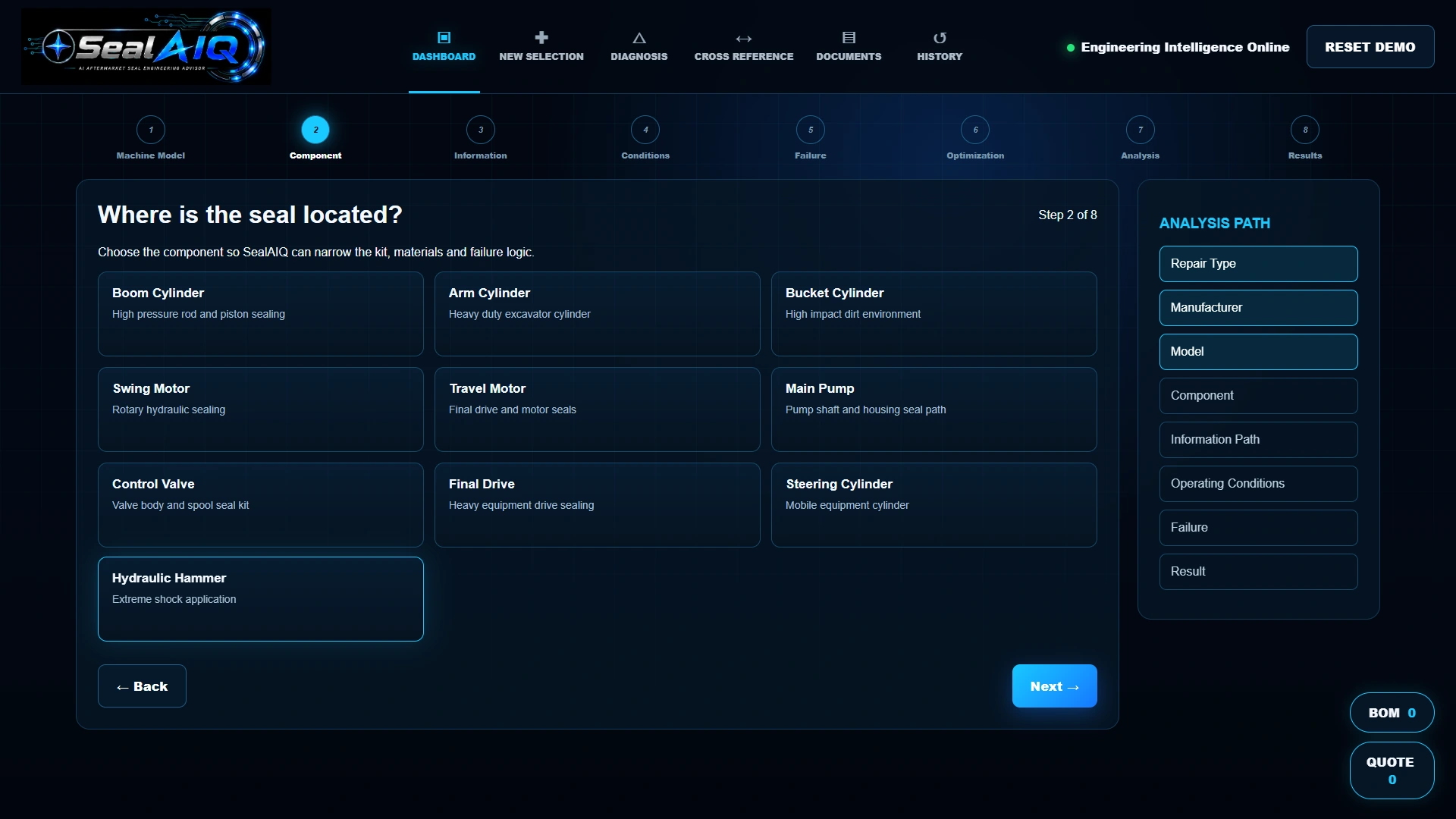
Choose where the seal is used: a boom, arm or bucket cylinder, a hydraulic motor, a pump, a valve or another listed component. The screen introduces the component context for the repair.
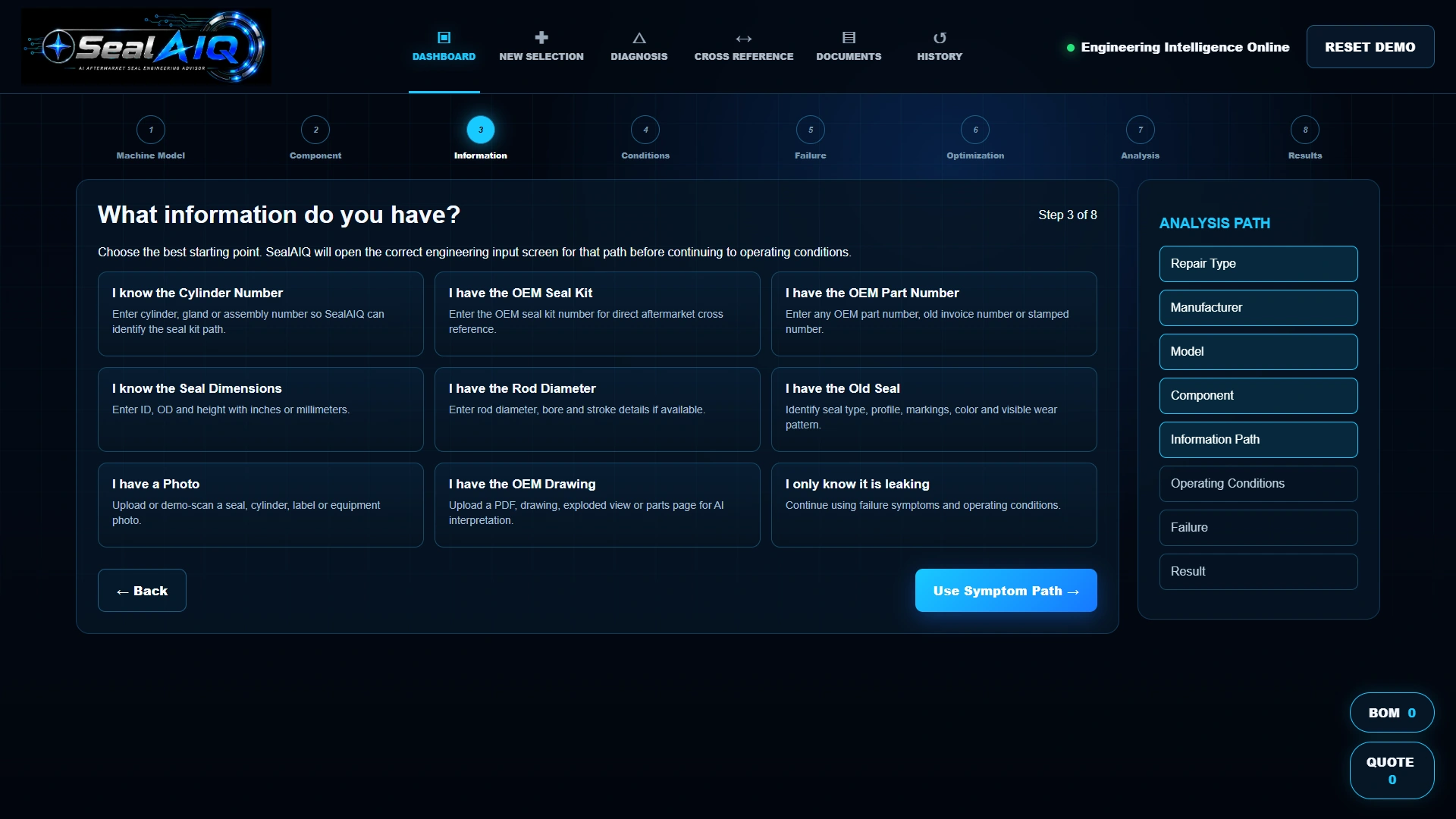
Explore routes for a cylinder number, OEM kit or part number, dimensions, a rod diameter, an old seal, a photo, a drawing or a leak symptom. The demo opens a different input screen for each route.
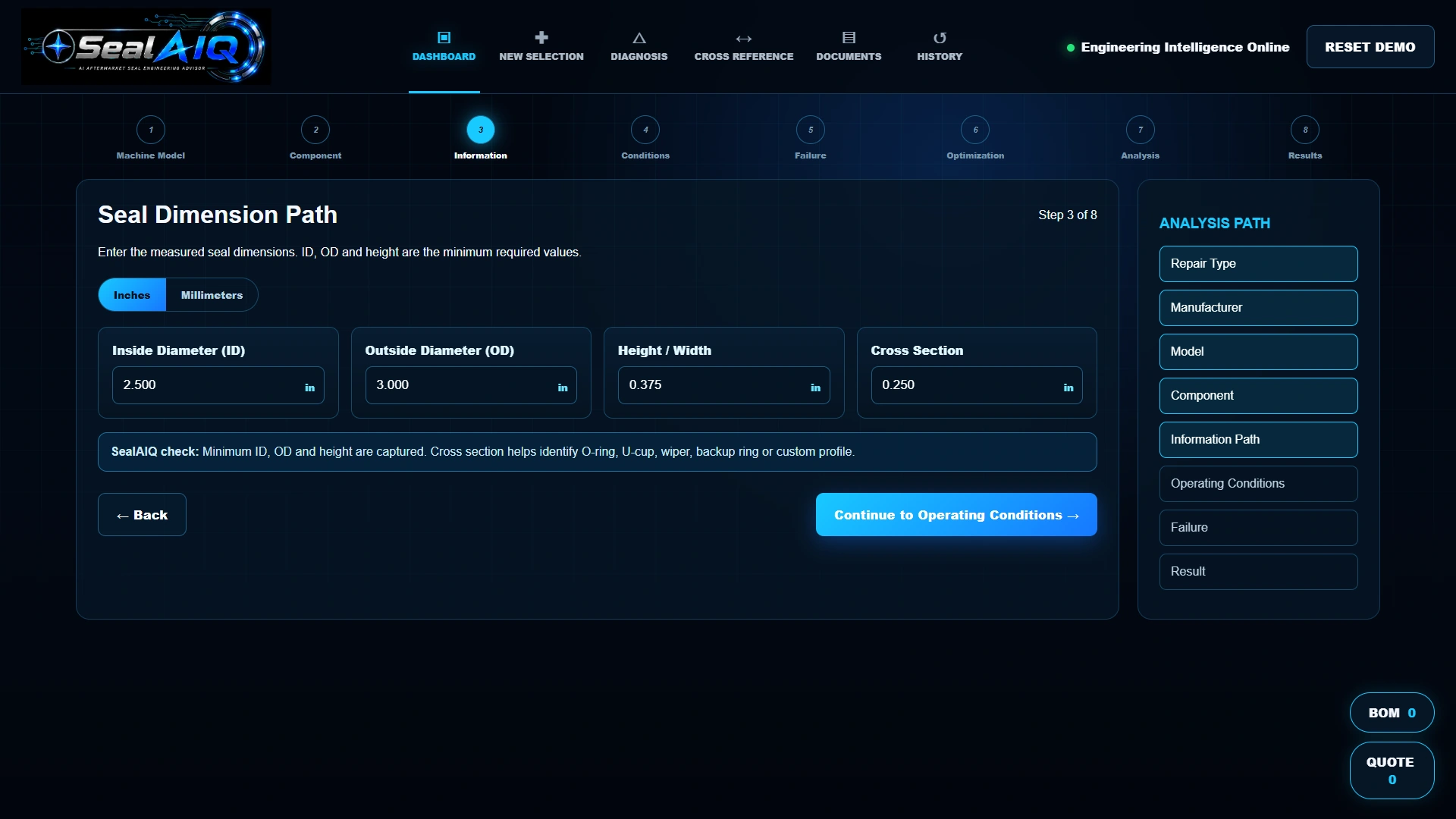
The dimension route displays inside diameter, outside diameter, height or width, and cross section. Inch and millimeter labels let visitors explore how measurement information could enter the journey.
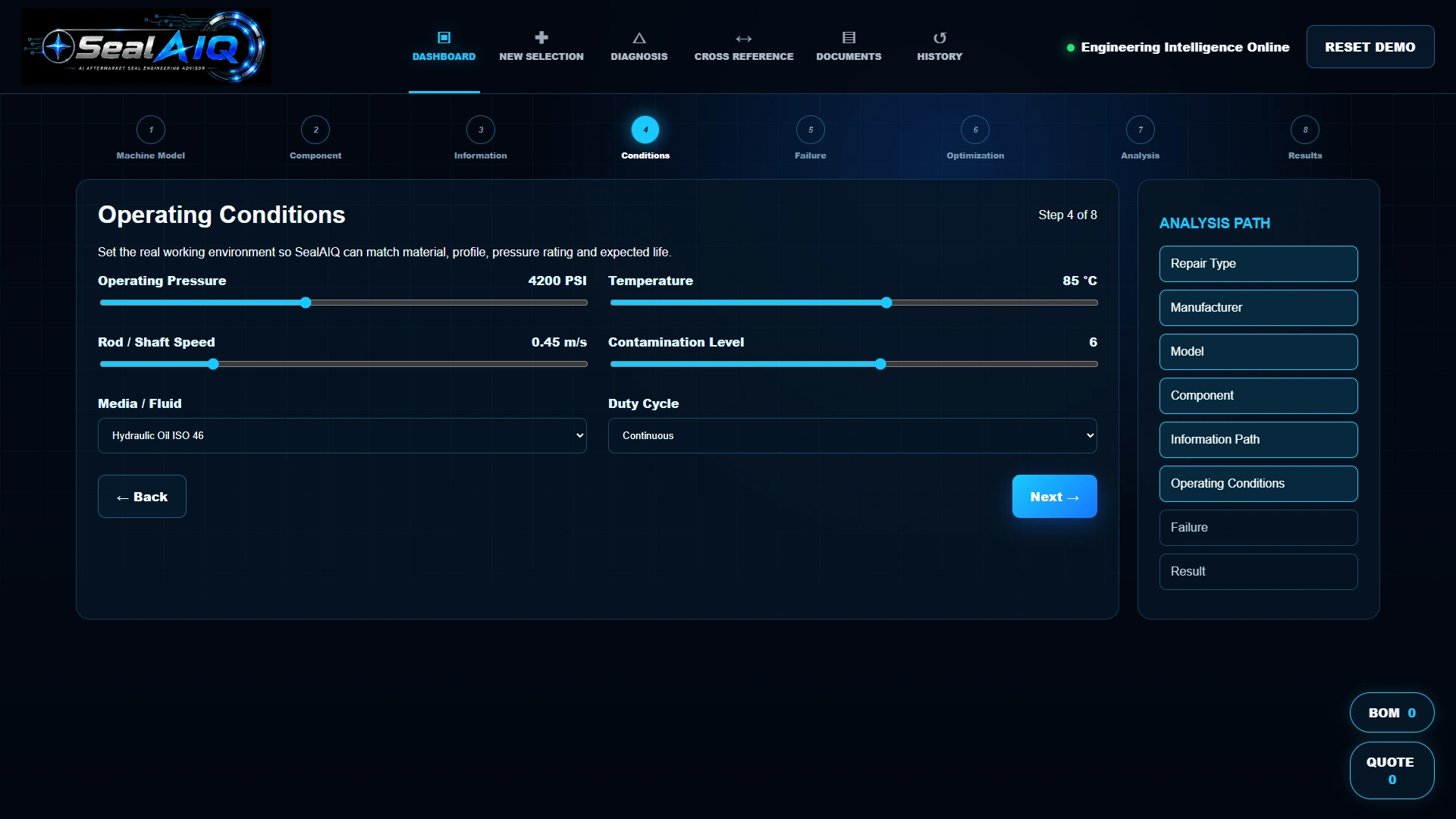
Explore the pressure, temperature, speed and contamination controls, alongside fluid and duty-cycle choices. These inputs make the operating context visible before the sample result.
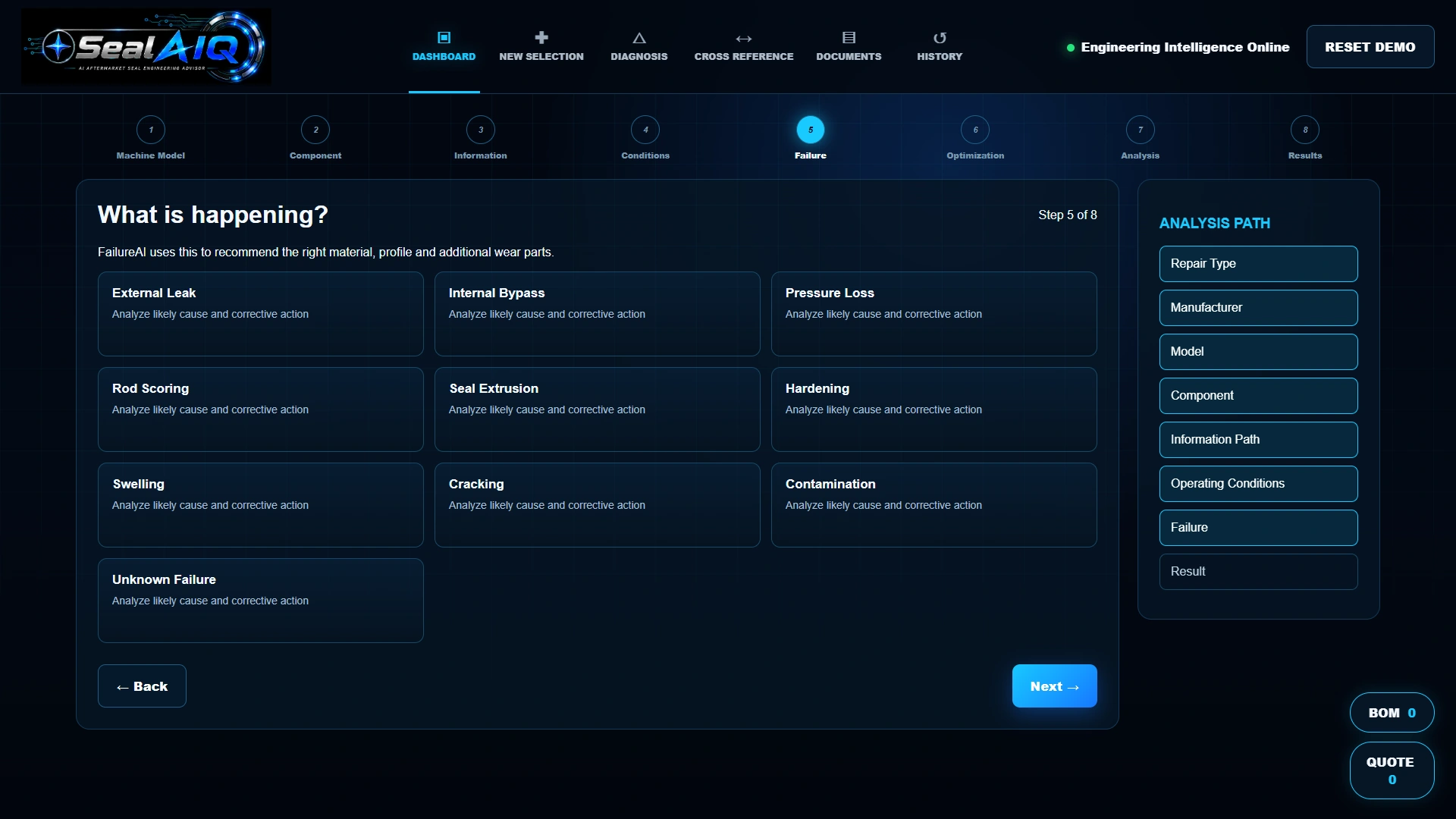
The failure screen offers examples such as an external leak, internal bypass, pressure loss, rod scoring or seal extrusion. Choose a symptom to continue through the demonstrated repair flow.
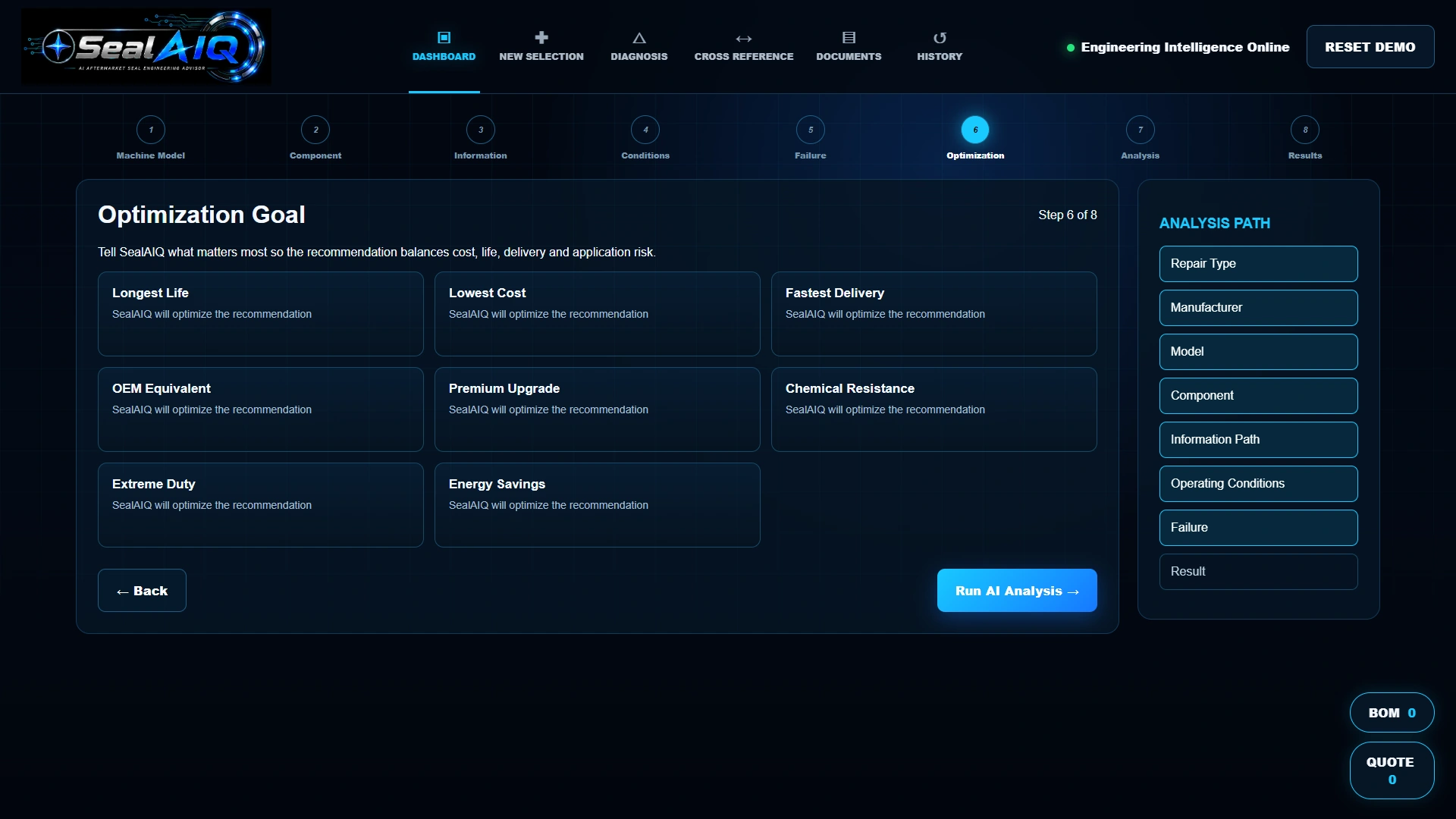
The goal screen presents priorities including service life, cost, delivery, OEM equivalence, chemical resistance and extreme duty. Try a priority before continuing to the demonstration analysis.
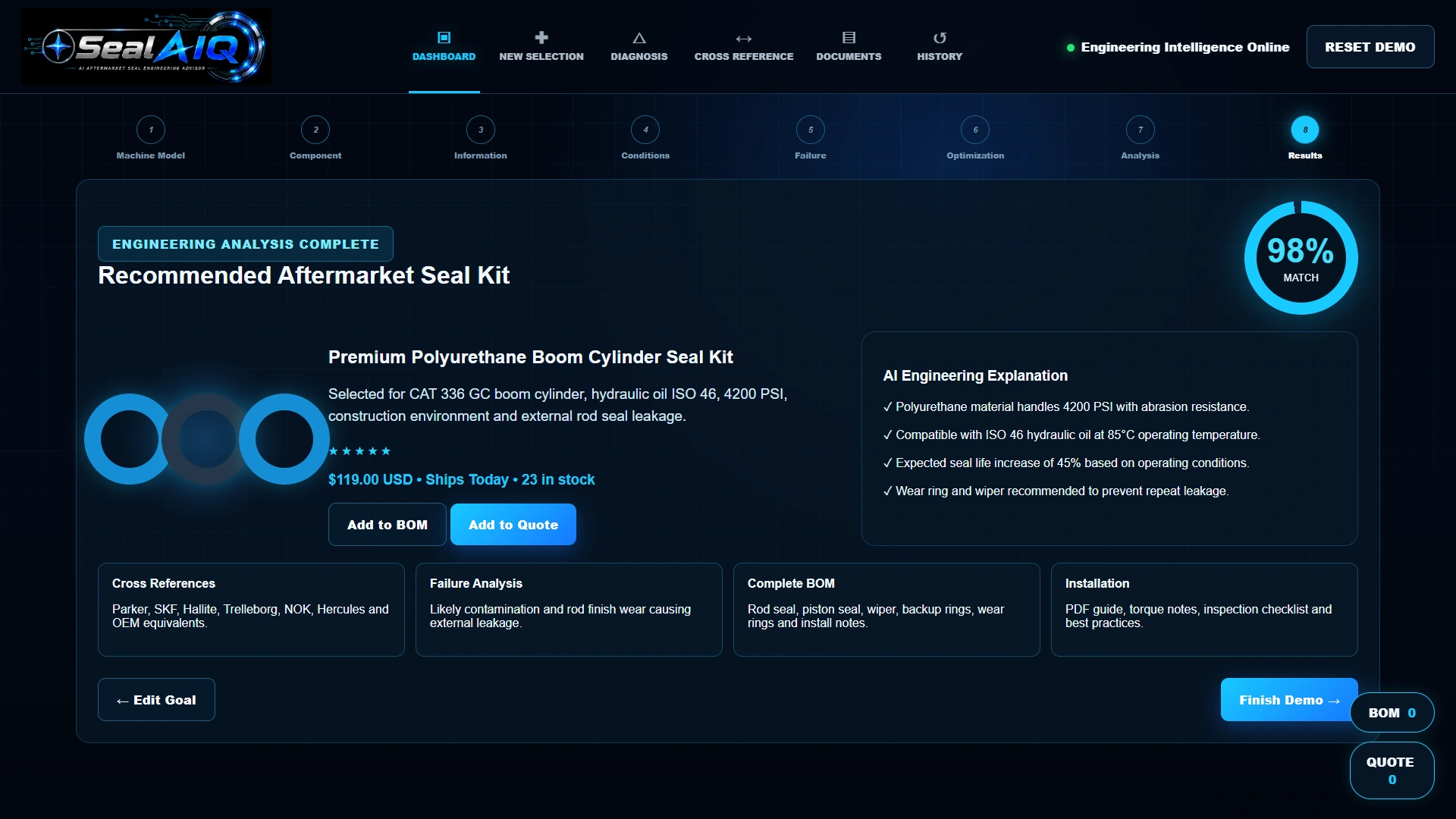
Review the illustrated boom-cylinder kit result, its application summary, engineering explanation and related repair notes. The displayed match score, performance, price and stock are demonstration content, not a verified recommendation or live quotation.
Actual demonstration screens. Kit matches, engineering explanations, prices, availability and scores are sample content. Confirm dimensions, material compatibility and application suitability with your supplier. Catalog, cross-reference and ordering connections are scoped individually.
Explore the information routes, then review the sample kit result.
Customers do not always arrive with a complete seal specification. They may know the machine, have an old seal, or only know that something is leaking. Build the conversation around the information they already have.
Try it for yourselfThe demo offers routes for equipment details, OEM numbers, dimensions, an old seal, a photo, a drawing or a symptom.
Explore pressure, temperature, speed, fluid and duty alongside the component and repair context.
Review the sample kit, explanation and related repair notes, then discuss your real products, cross references and integration needs.
Give customers another way to explain what they need. SealAIQ demonstrates a guided repair and selection experience that can be planned around your seal catalog, equipment knowledge and existing website.
Add a guided selection experience.
Keep your existing website.
The demo uses sample data. Your production scope is agreed individually.