Explore the hose assembly experience.
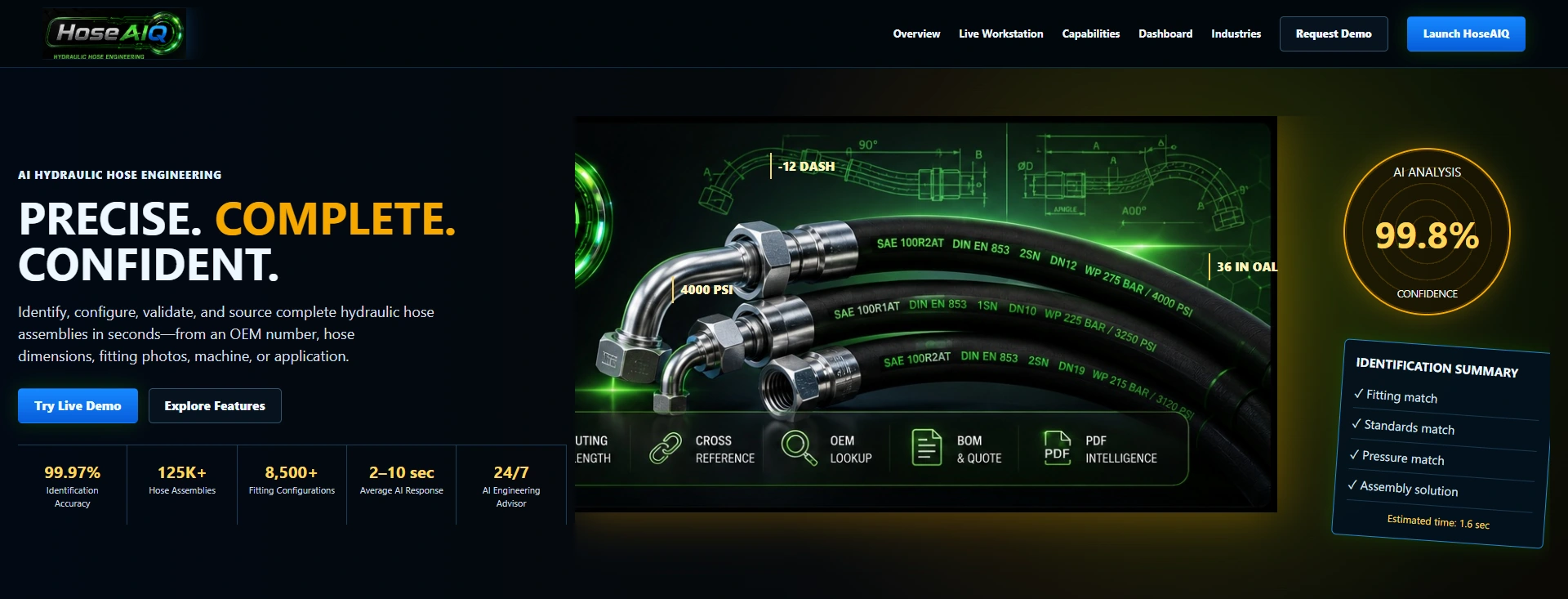
The public demo introduces a hose-and-fitting journey with a live workstation. The opening screen presents the product direction; its accuracy figures, catalog counts and other headline metrics are illustrative.
Give customers a clearer starting point—with hose dimensions, fitting choices and the application in one view.
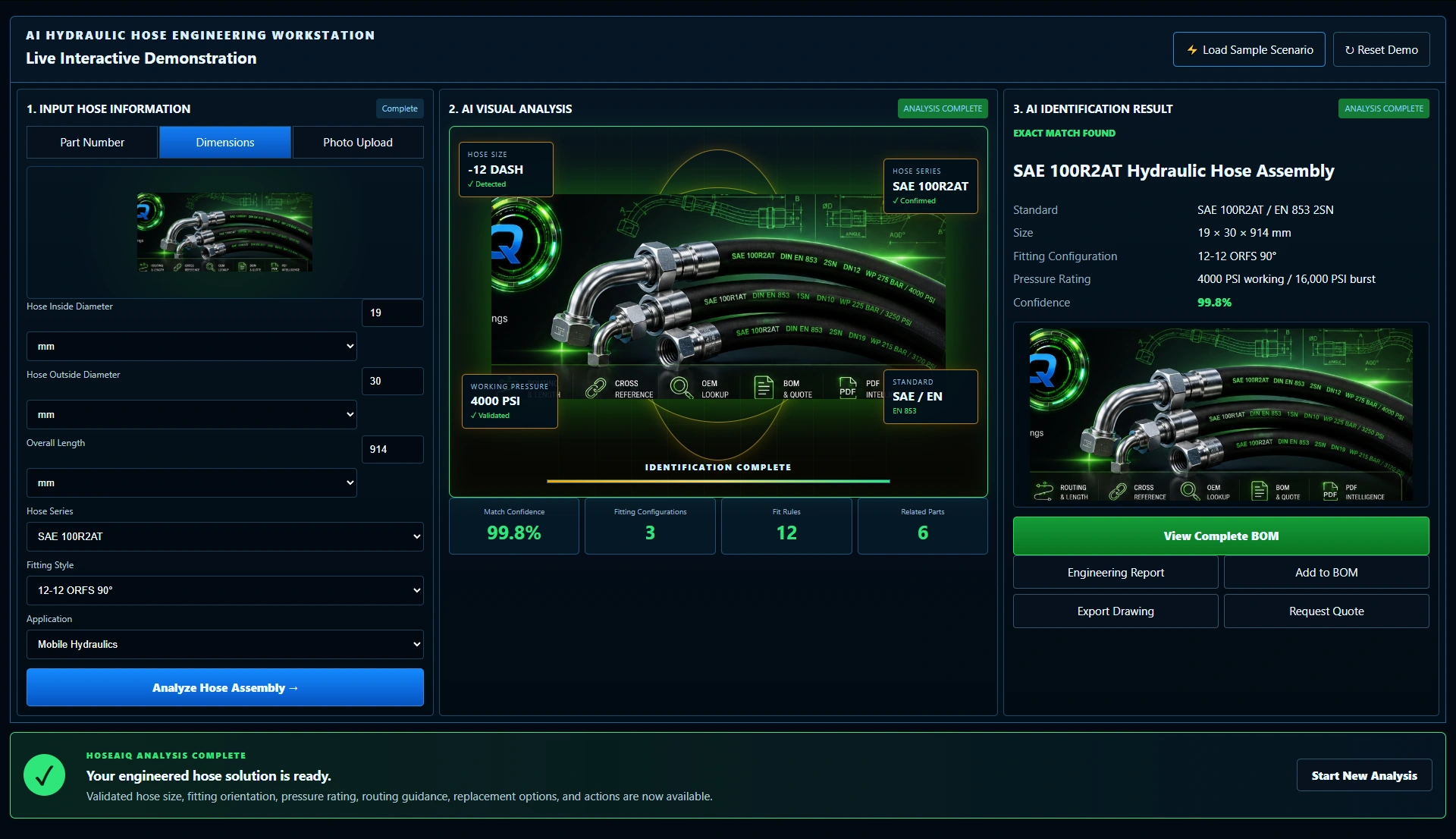
Follow the actual workstation: explore dimensional inputs and fitting choices, run the sample sequence, then inspect the assembly result, component list and report preview.
The public demo introduces a hose-and-fitting journey with a live workstation. The opening screen presents the product direction; its accuracy figures, catalog counts and other headline metrics are illustrative.
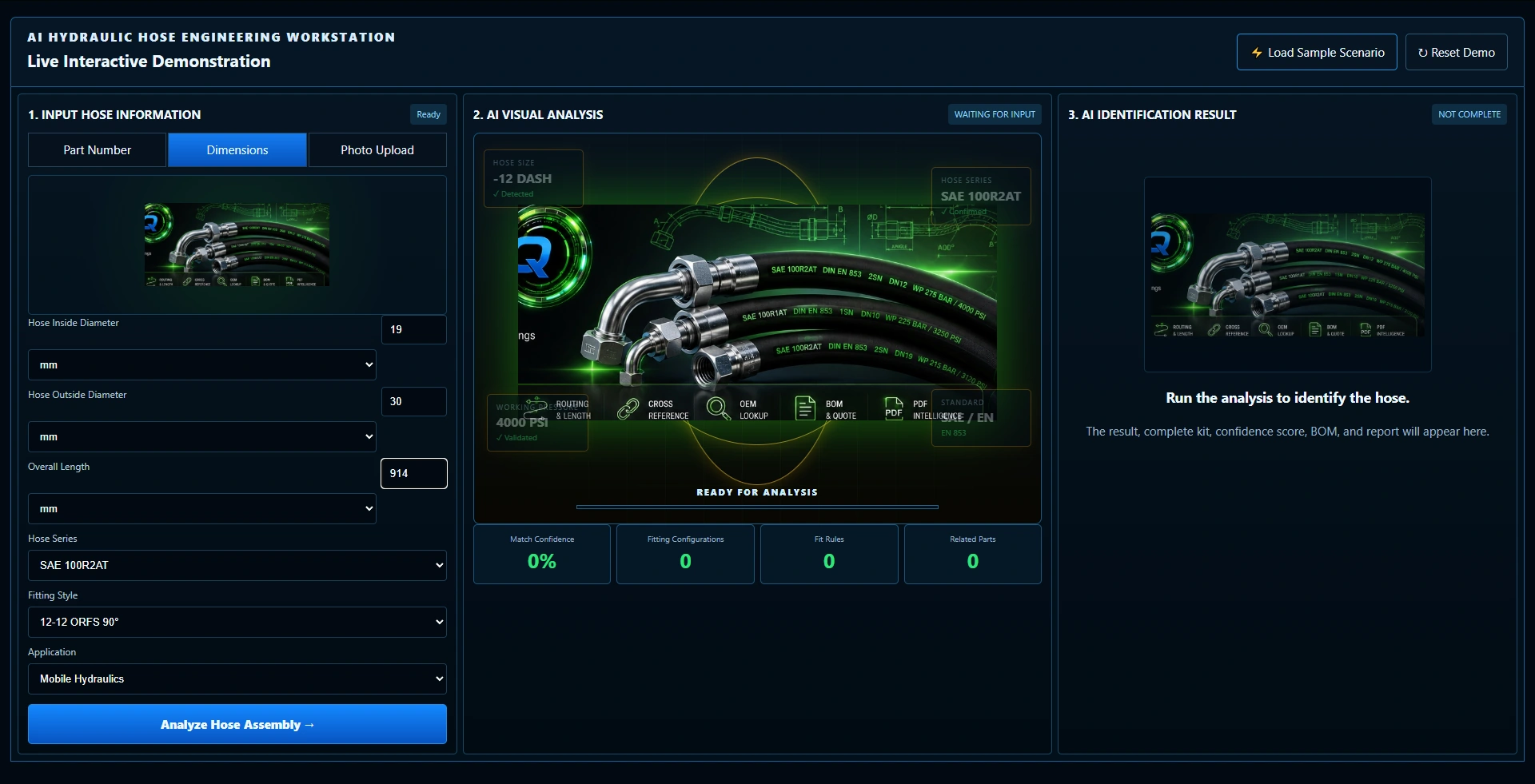
The workstation brings inside diameter, outside diameter, overall length, hose series, fitting style and application into one panel. This example uses the current demo’s dimensional inputs.
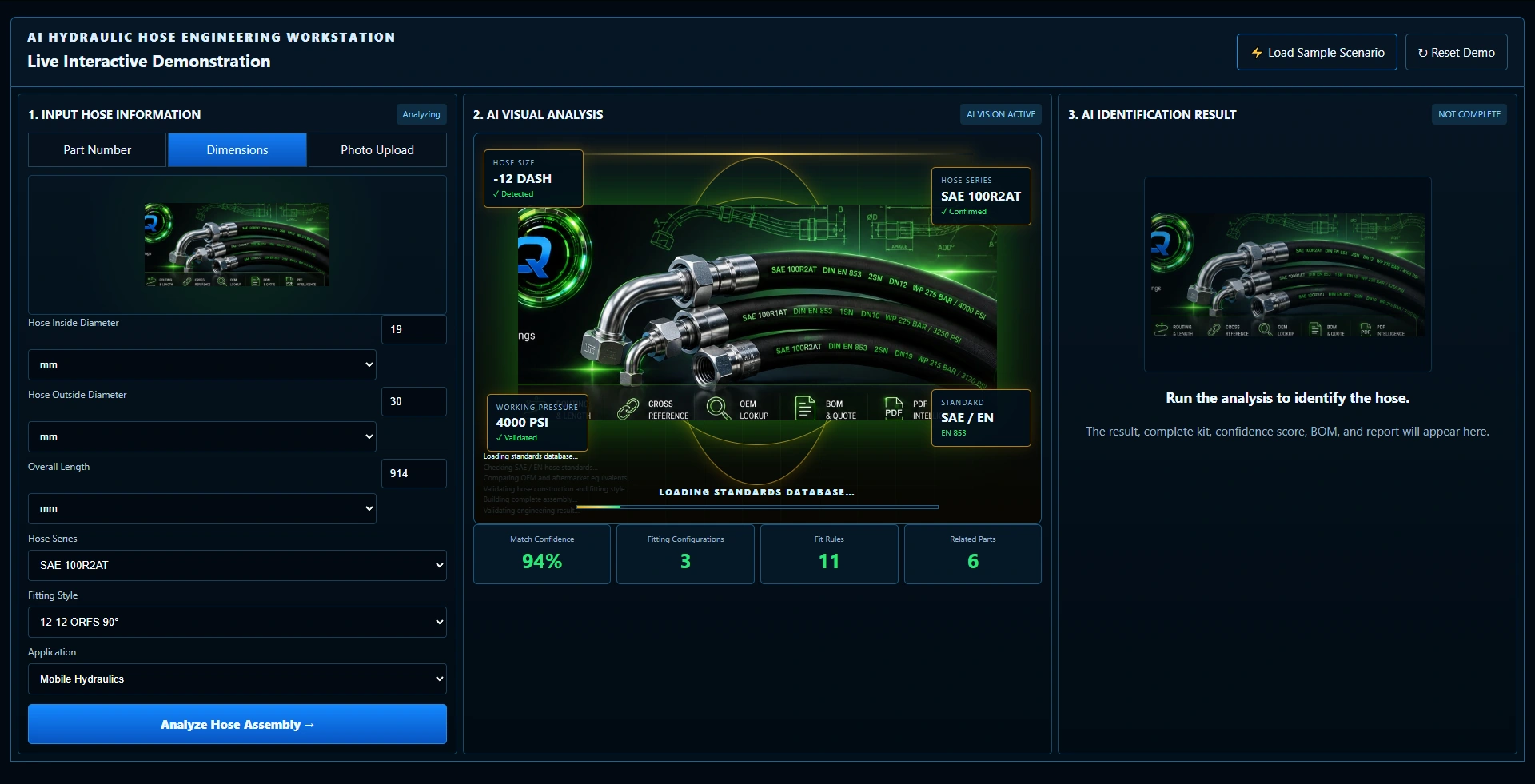
Run the sample sequence and watch the visual analysis panel, progress and status indicators change. These are demonstration stages, not a verified engineering calculation or standards-compliance check.
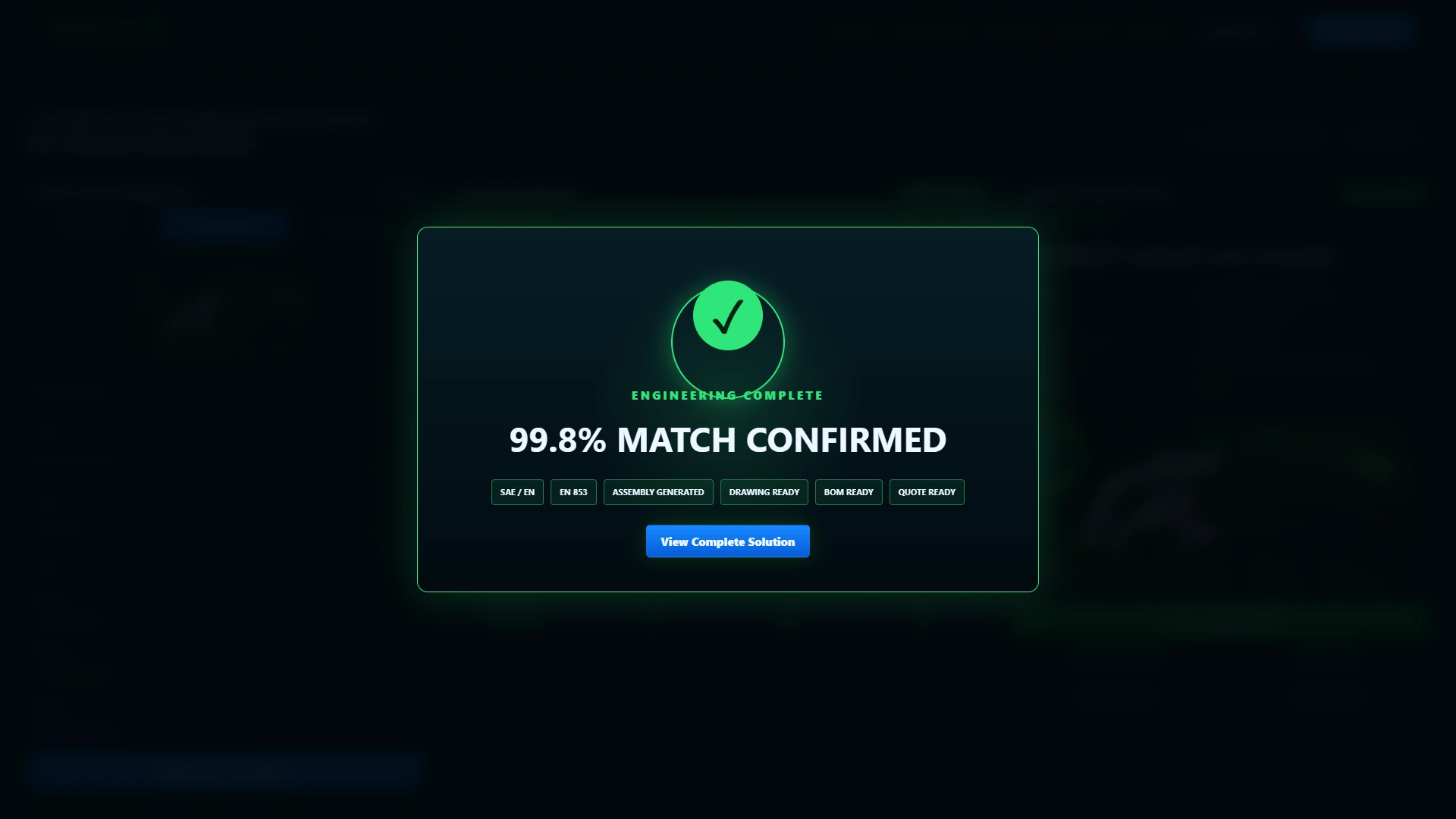
The demo displays a completion message before returning to the solution view. The confirmation makes the next step explicit while preserving the entered sample details.
Inspect the displayed hose series, size, fitting configuration and related actions alongside the inputs. The shown pressure rating and confidence score are sample content, not a validated selection.
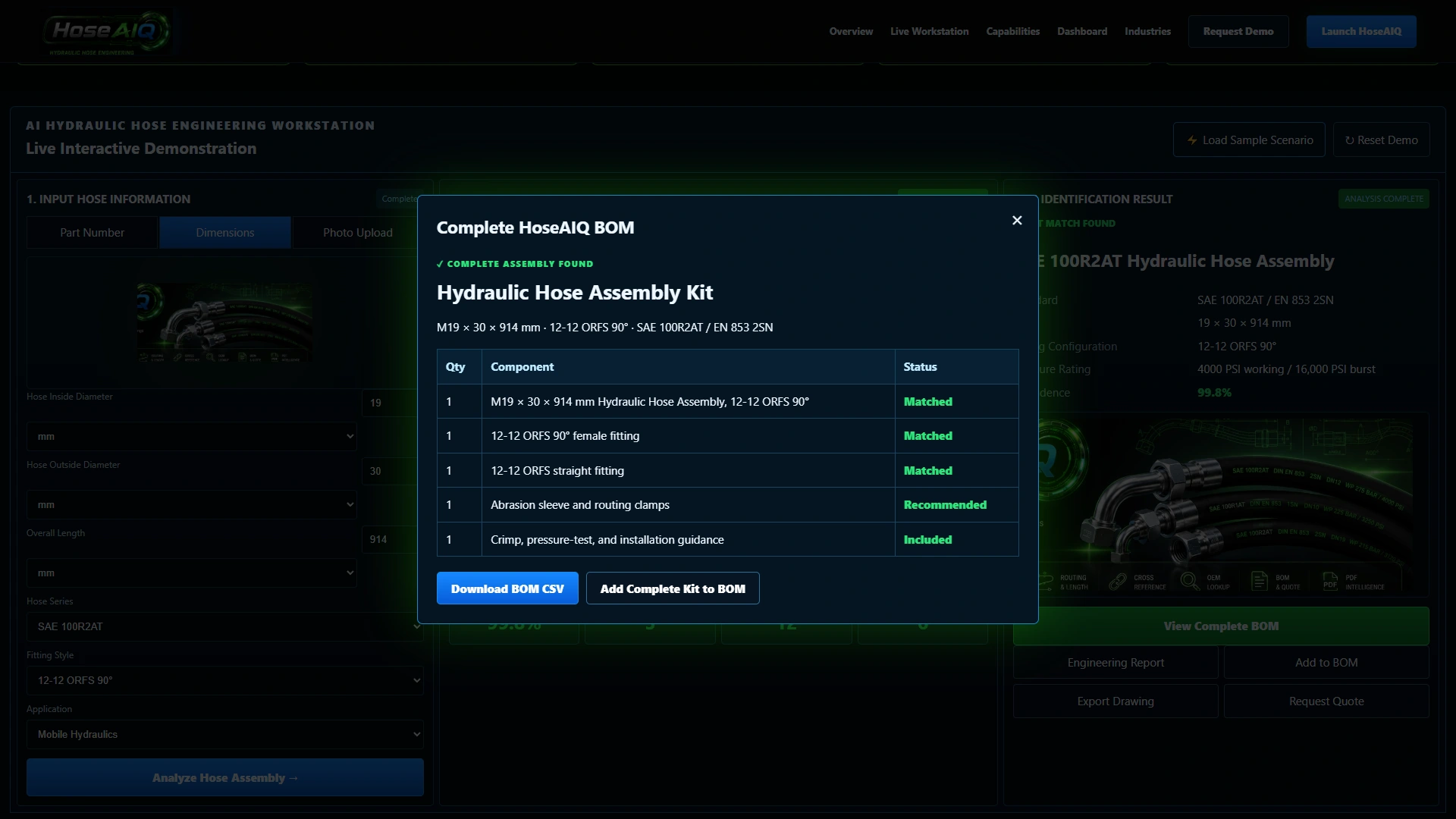
Open the sample bill of materials to see how a hose, end fittings, abrasion protection, routing clamps and guidance can be presented as one assembly conversation. Production compatibility and contents require supplier validation.
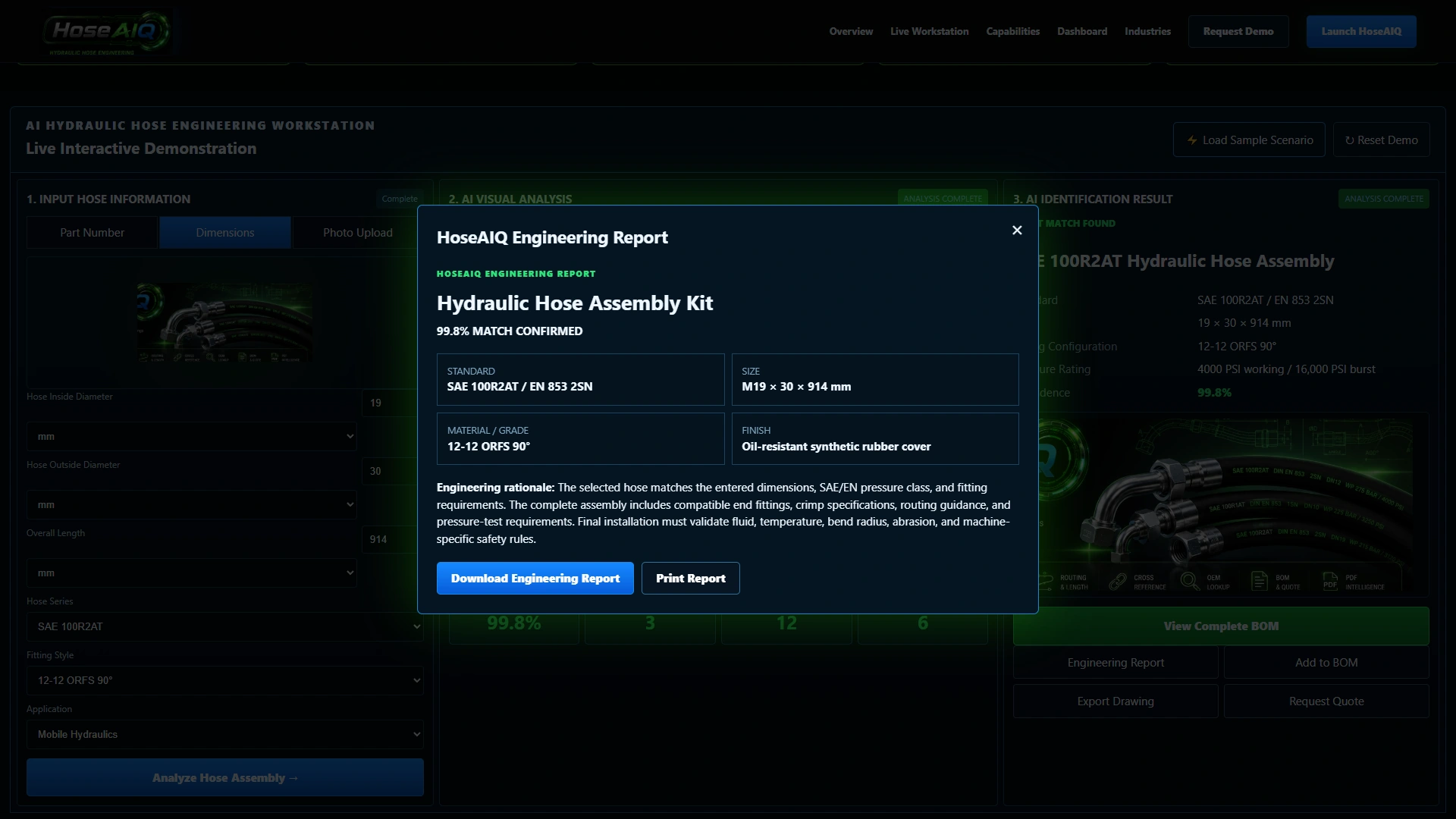
The report preview brings sample identification, dimensions, fitting information and engineering notes together. Explore the live demo to inspect its report and download controls; production data and report scope are agreed individually.
Actual demonstration screens. The analysis sequence, matches, pressure values, confidence scores and assembly contents are illustrative. Confirm hose, fittings, crimp specifications and operating limits with the manufacturer or a qualified supplier. Live catalogs, pricing, inventory and ordering are separately scoped integrations.
Try the workstation, then open the sample BOM and engineering report.
A hose is only part of the conversation. Customers also need to consider the end fittings, application and installation requirements. Bring those details into a shared starting point before discussing the right assembly for the job.
Try it for yourselfThe workstation displays inside and outside diameters, overall length, hose series, fitting style and application choices.
The demonstrated sequence brings the input panel, visual analysis and sample assembly result together on one screen.
Open the component list and report preview, then discuss how your real hose range, crimp data and technical guidance should connect.
Give customers a better place to begin a hose and fitting conversation. HoseAIQ demonstrates an assembly-focused experience that can be planned around your products, technical guidance and existing website.
Add a guided selection experience.
Keep your existing website.
The demo uses sample data. Your production scope is agreed individually.