Application-led gasket guidance for industrial suppliers

Their machine.
Your gaskets.
A clearer repair.

Add GasketAIQ to your existing website.

Start with the machine, the repair and the symptom—and bring the gasket conversation into context.

Machine &
component
Repair goal
& symptom
Your gaskets.
Your brand.
GASKETAIQ BY STARWEB · BUILT AROUND THE APPLICATION
START WITH THE MACHINEBRING THE REPAIR INTO VIEWYOUR WEBSITE. YOUR GASKET EXPERTISE.
01 / SEE HOW GASKETAIQ WORKS

From machine and symptom
to a clearer repair conversation.

Explore the actual guided route: identify the machine, locate its system and component, explain the job and symptom, then review the illustrated gasket result and supporting details.

◎ Browser-based demo▣ Machine & component✳ Goal & symptom↗ Sample result & diagnosis
01

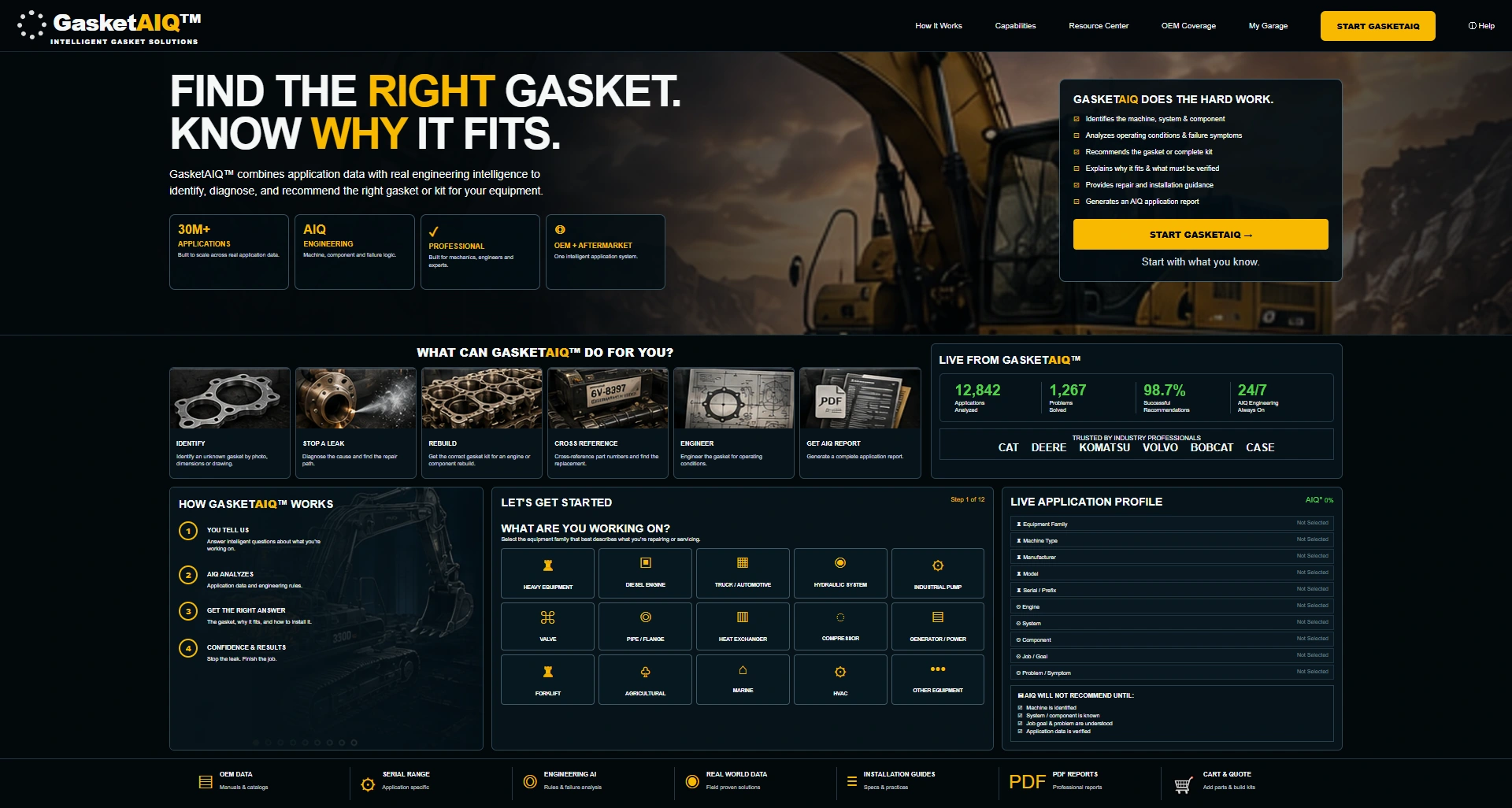
Start with the equipment.

The live demo begins with an equipment family rather than a part number. Its entry screen introduces the application profile and the questions that build it. Catalog counts and performance figures shown here are illustrative.

02

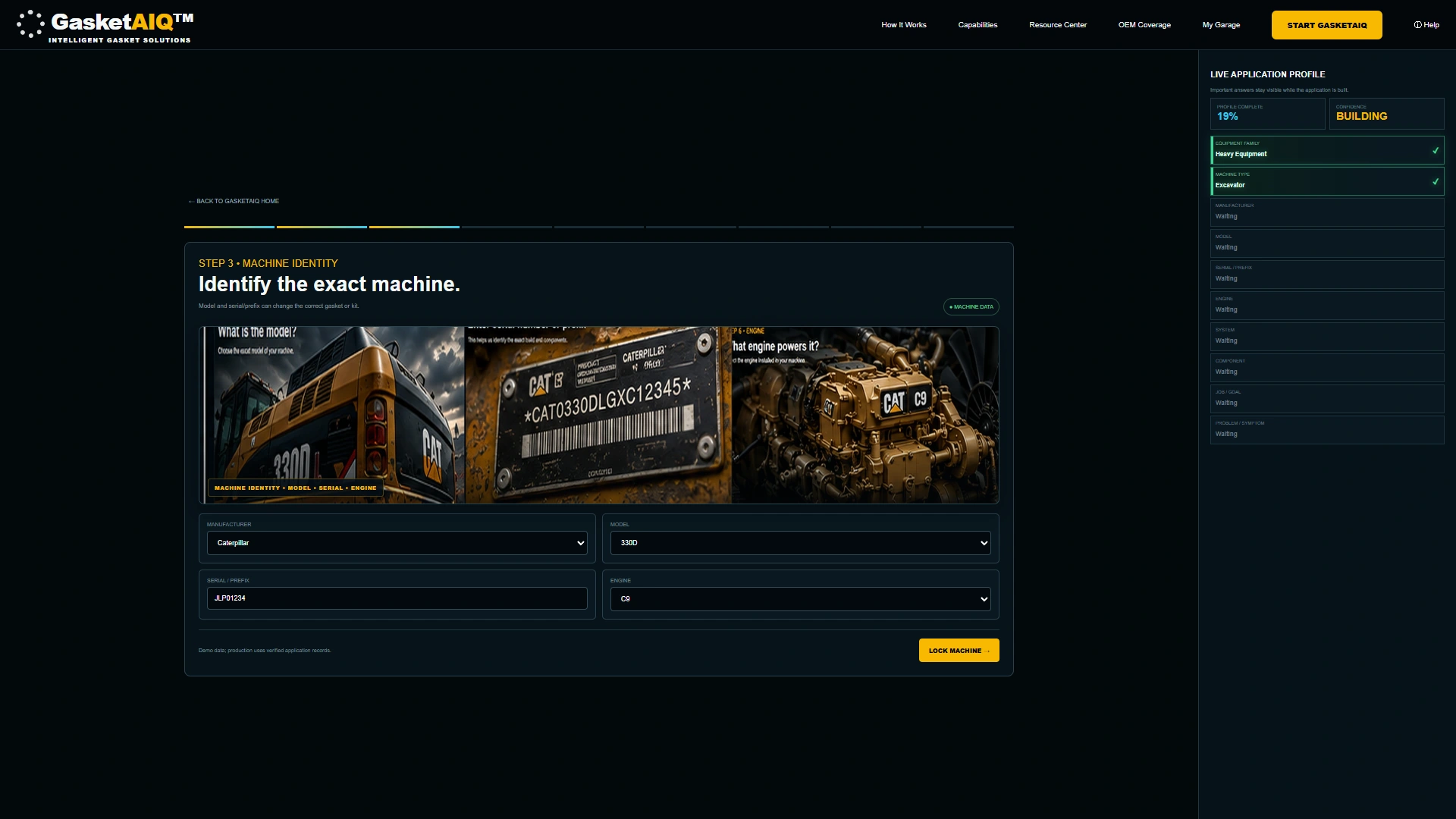
Identify the machine.

After selecting heavy equipment and an excavator, enter the machine identity. This example follows the actual Caterpillar 330D, C9 engine and sample serial-prefix fields, with the growing profile visible beside them.

03

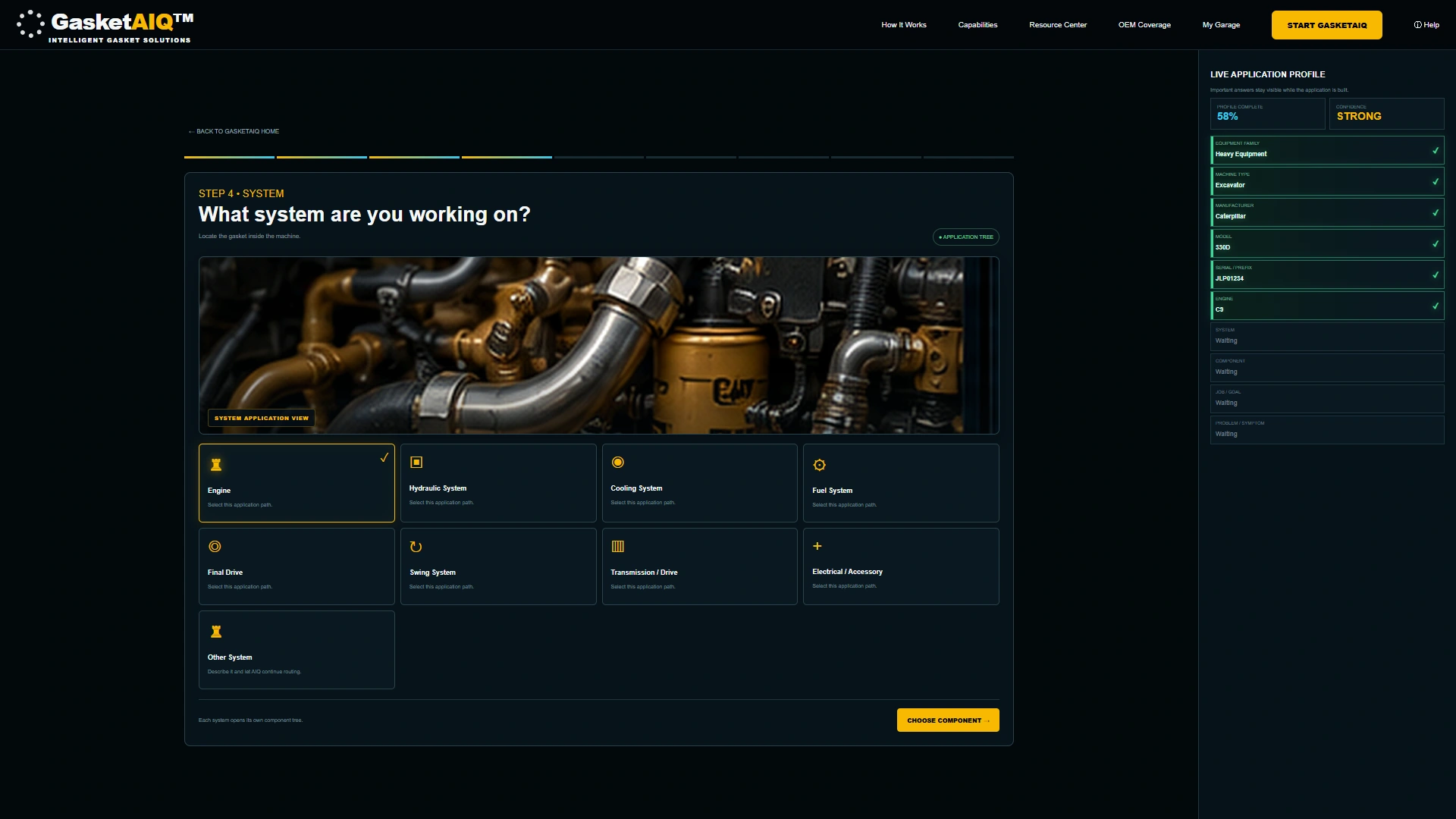
Locate the system.

Choose the system being serviced. The demonstration keeps the selected machine and engine in view while you continue into the application tree.

04

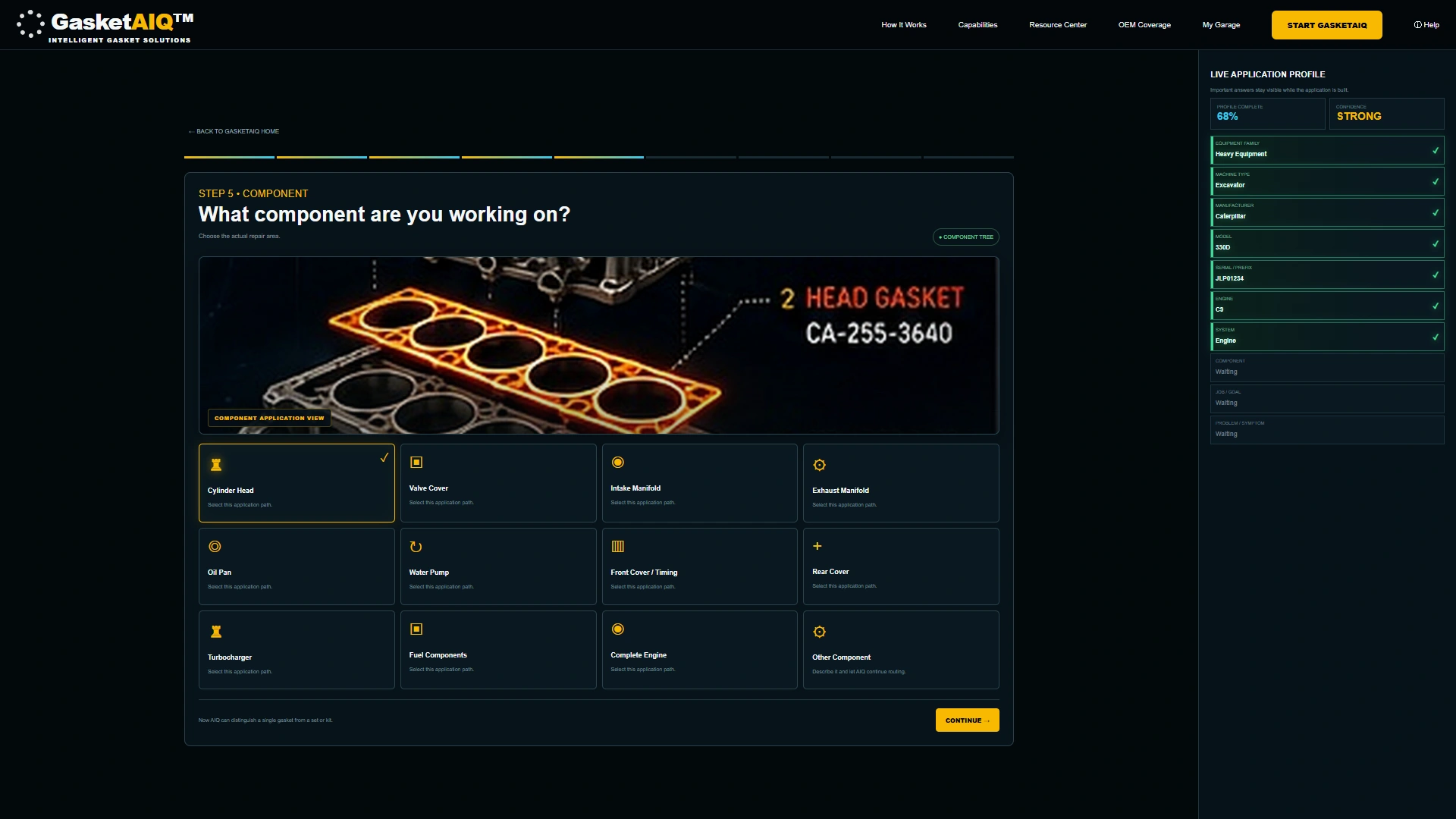
Narrow down the component.

Choose the repair area within the system. The captured route uses the engine and cylinder head, giving the next questions a more specific context.

05

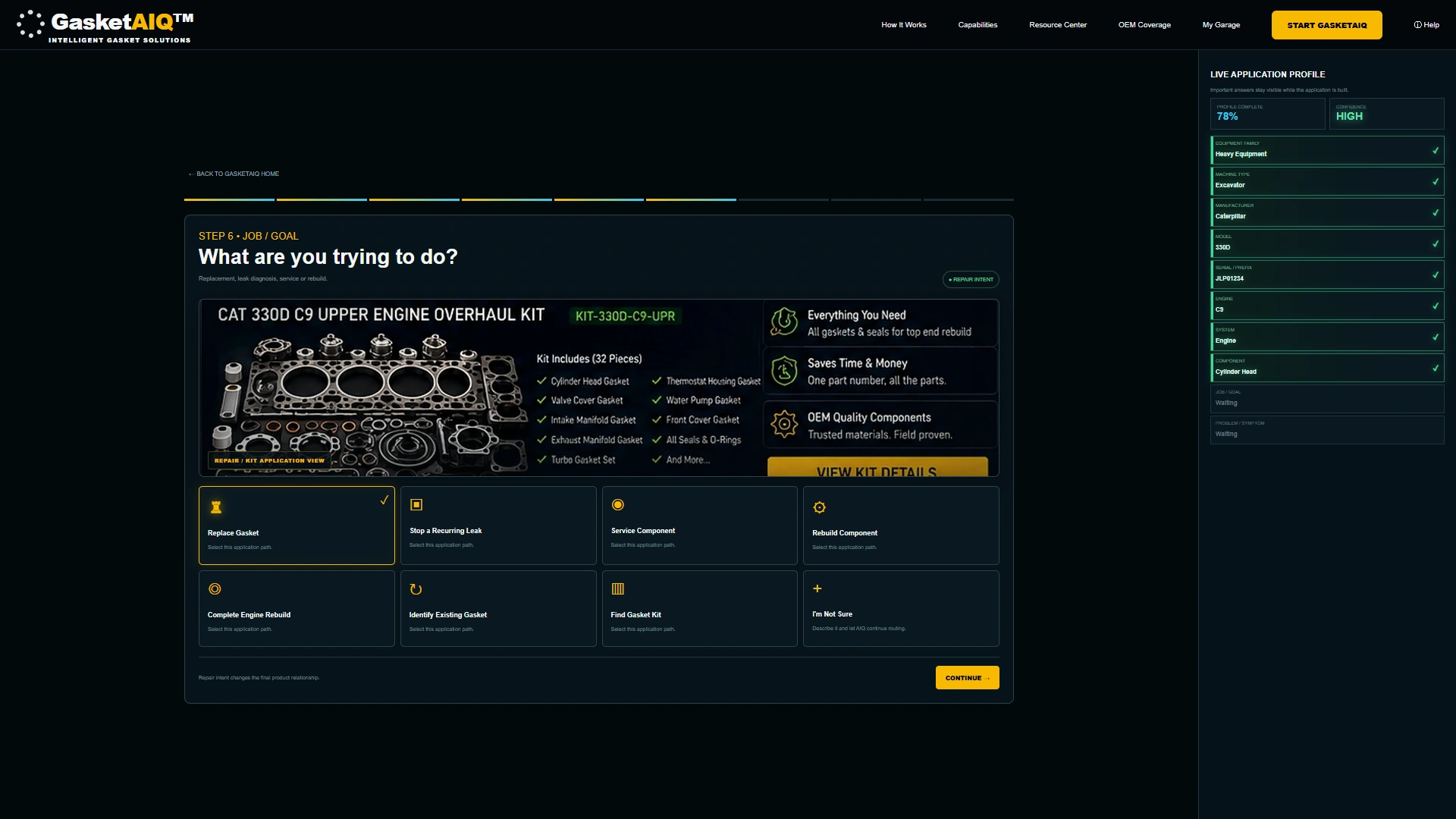
Explain the repair goal.

Replacement, recurring leaks, servicing and rebuild work can start different conversations. This sample route selects Replace Gasket before collecting the reported symptom.

06

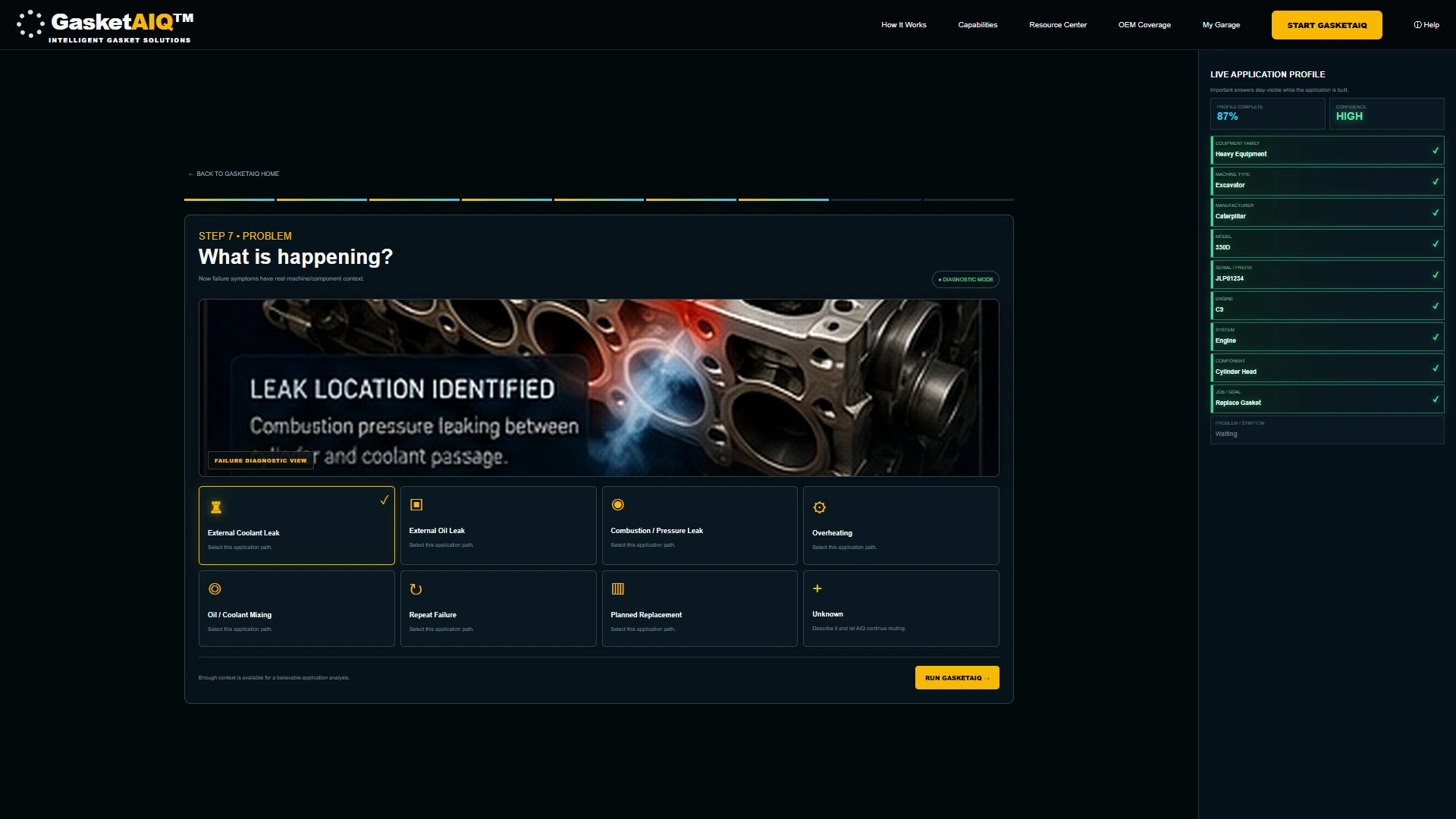
Describe what is happening.

Add the symptom to the machine, component and repair goal already collected. The example uses the external-coolant-leak option; the profile remains visible throughout.

07

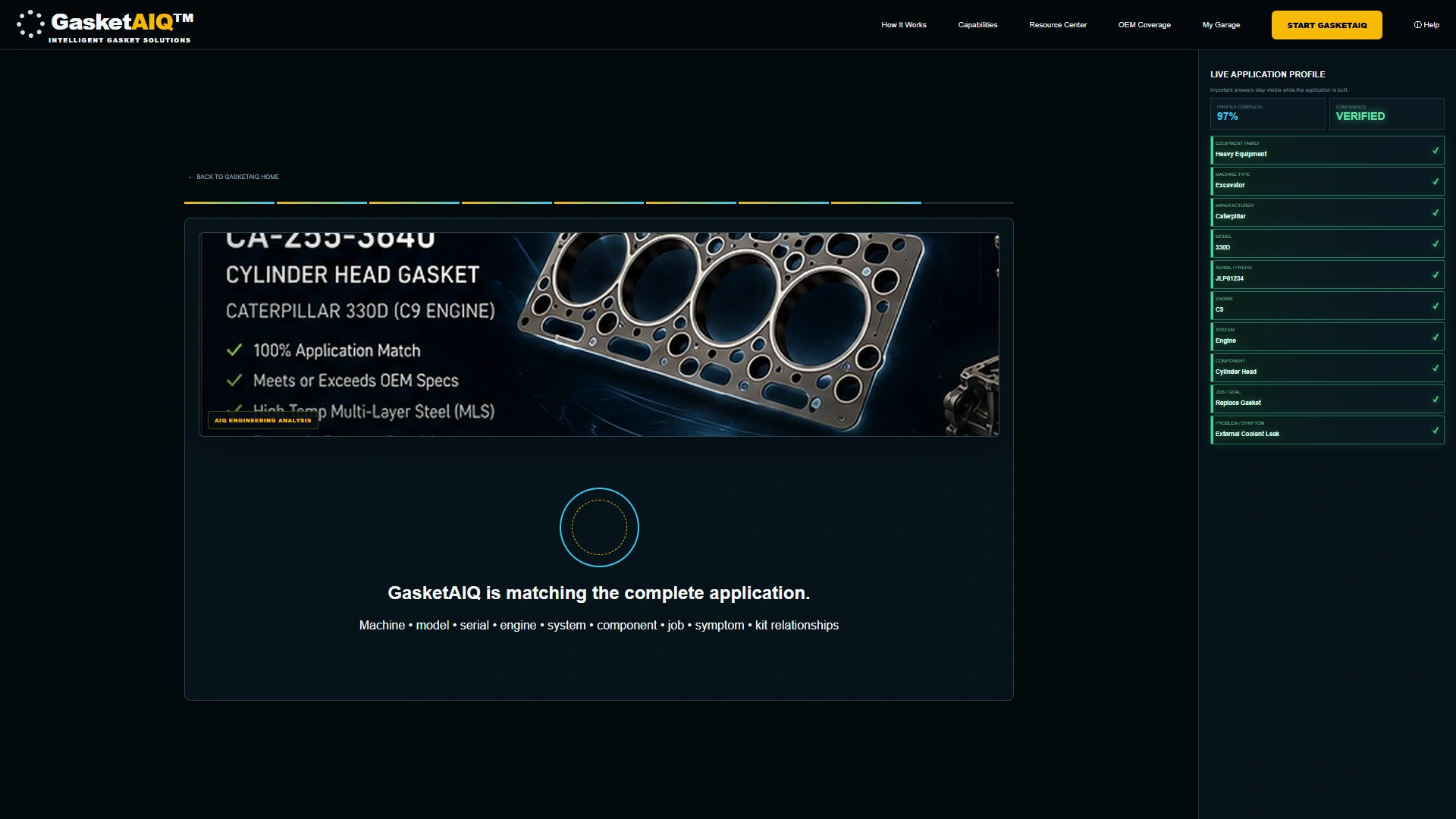
Follow the sample analysis.

The demonstration transitions from the completed application profile to its analysis view. This sequence illustrates the intended experience, rather than a verified manufacturer lookup or engineering calculation.

08

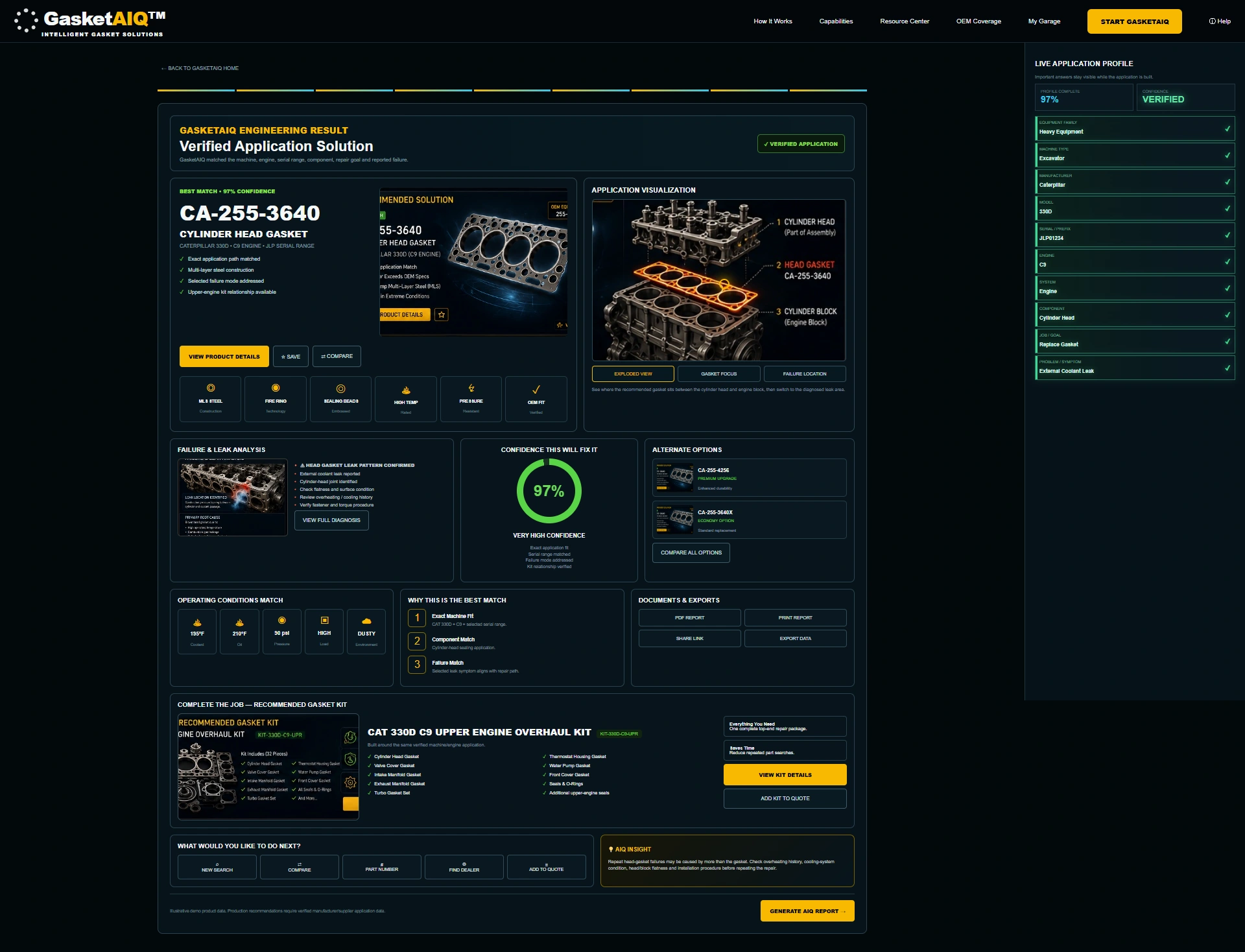
Review the application result.

Explore the illustrated gasket result, application visualization, alternate options and upper-engine kit concept. Product codes, confidence scores, operating figures and verified-fit labels shown in the demo are sample data.

09

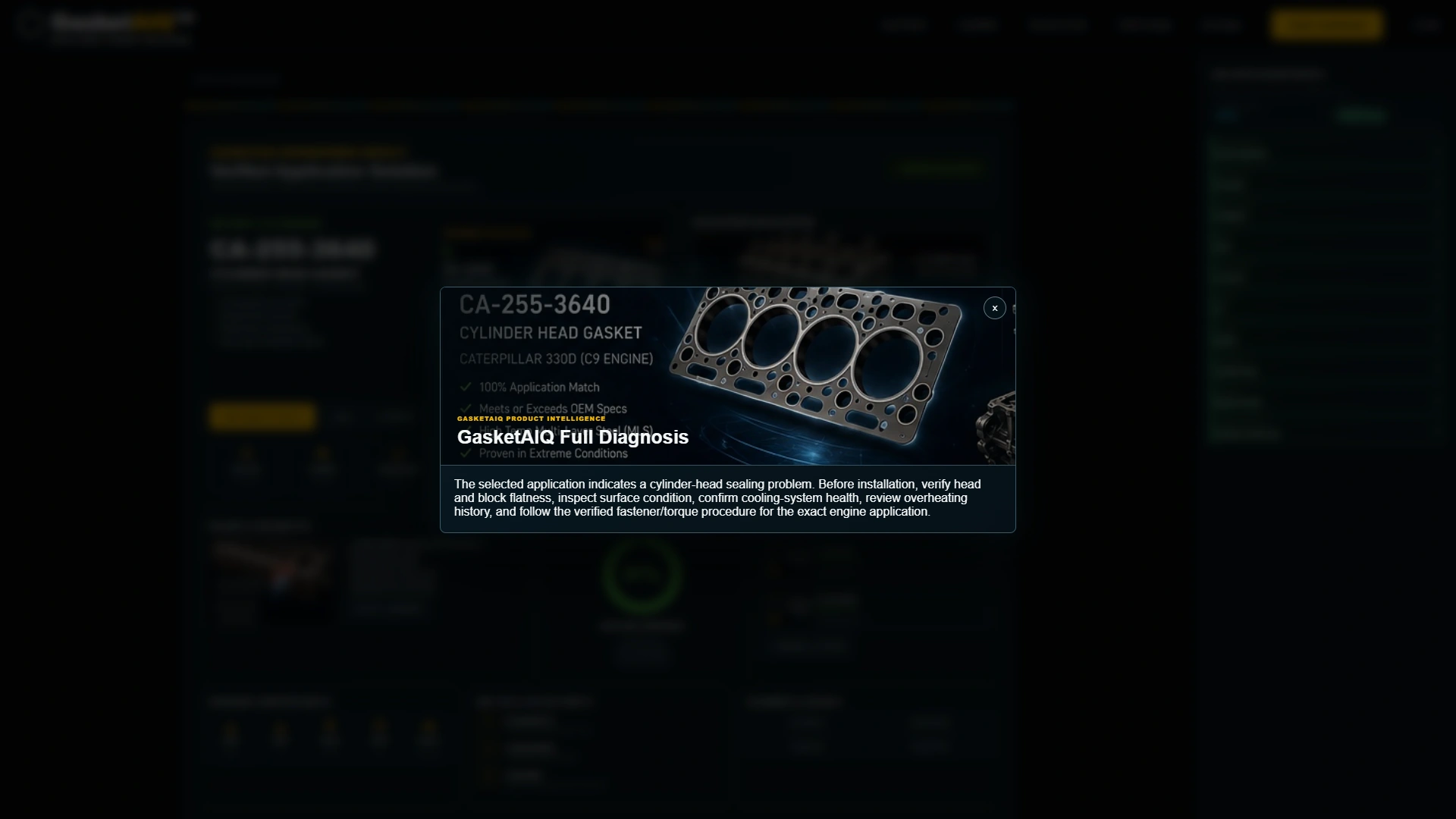
Open the diagnosis view.

The diagnosis panel presents the sample cylinder-head sealing context and points for technical review. It illustrates how application guidance could sit beside a result; a real repair still needs verified service information.

10

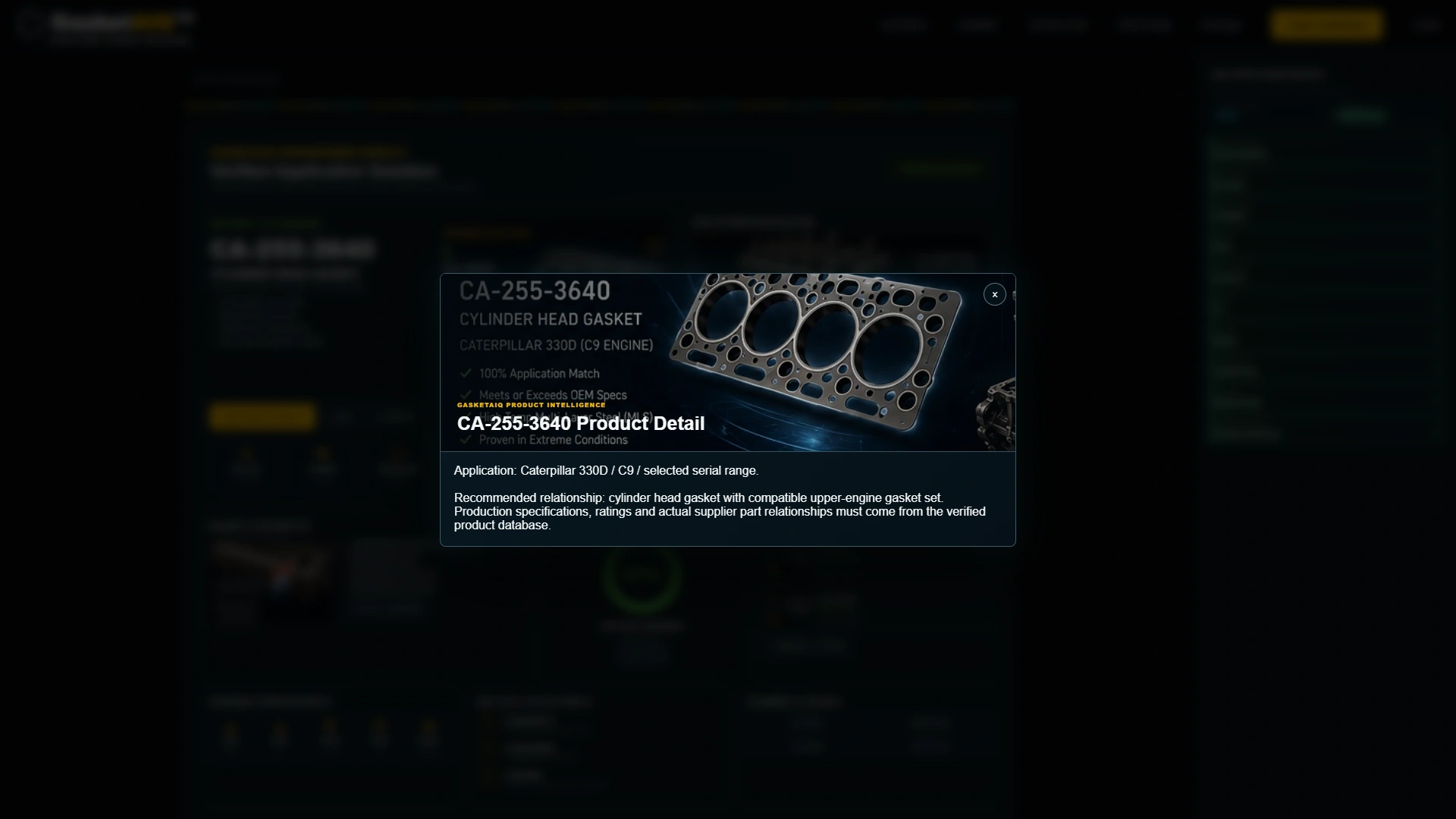
Inspect the product context.

Open the product-detail panel to see the sample machine, engine and gasket-set relationship together. Production fitment, specifications and supplier part relationships require verified source data.

Actual demonstration screens with illustrative application and product data. Part numbers, confidence scores, verified-fit labels, operating figures and repair guidance are sample content. Confirm the exact machine, serial range, engine, gasket specification and service procedure with verified manufacturer or supplier records. Production integrations are scoped individually.

Your gasket expertise. A more informed starting point.

Try the application route, then explore its sample result, diagnosis and product details.

Explore the live demo
02 / THE GASKETAIQ EXPERIENCE

A machine to service.
A problem to explain.
A place to begin.

Customers may know the machine and the problem before they know the gasket number. Give them a guided way to describe the application, with the important details kept together for the next technical conversation.

Try it for yourself
01

Bring the known details together.

Equipment family, machine type, model, serial prefix and engine create the starting profile before the system and component are selected.

02

Keep the application connected.

The live profile carries the machine, component, repair goal and symptom through the questions and into the illustrated result.

03

Make the technical handoff useful.

Explore the sample diagnosis and product details, then discuss the verified fitment records, service information and kit relationships your production integration would need.

FOR GASKET SUPPLIERS, REPAIR SPECIALISTS & INDUSTRIAL DISTRIBUTORS

Your expertise.
Your gasket range.
A guided experience.

Give customers another way to explain their gasket requirements. GasketAIQ demonstrates an application-led starting point that can be planned around your products, fitment knowledge and existing website.

Add a guided selection experience.
Keep your existing website.

  • A branded journey built around your gasket range
  • Machine, component, repair goal and symptom
  • Sample gasket result, diagnosis and kit context
  • Integration scoped around your business
Let’s talk GasketAIQ

The demo uses sample data. Your production scope is agreed individually.

THE NEXT STEP STARTS WITH A BETTER QUESTION

Let’s bring the repair into view.

Step into GasketAIQ
GasketAIQ demonstration screenshot

LET’S TALK ABOUT YOUR BUSINESS

Your website.
Your GasketAIQ.

Tell Starweb about your gasket range, application records, repair services and existing website. We can explore a GasketAIQ demonstration and the integration scope that fits your business.

A conversation built around your business

Arrange a GasketAIQ demonstration with Starweb.

Want to explore first? Try the GasketAIQ demo ↗